
Best Android Apps 2026 lists the most useful and exciting apps you should install on your smartphone this year. From productivity tools to customization apps and powerful utilities, these apps can significantly improve your Android experience.
However, finding truly useful apps can be difficult. That’s why we’ve compiled a list of the 15 best Android apps for 2026 that can improve your smartphone experience.
Let’s explore some of the most impressive apps you should try this year.
1. MusWall – Dynamic Music Wallpaper
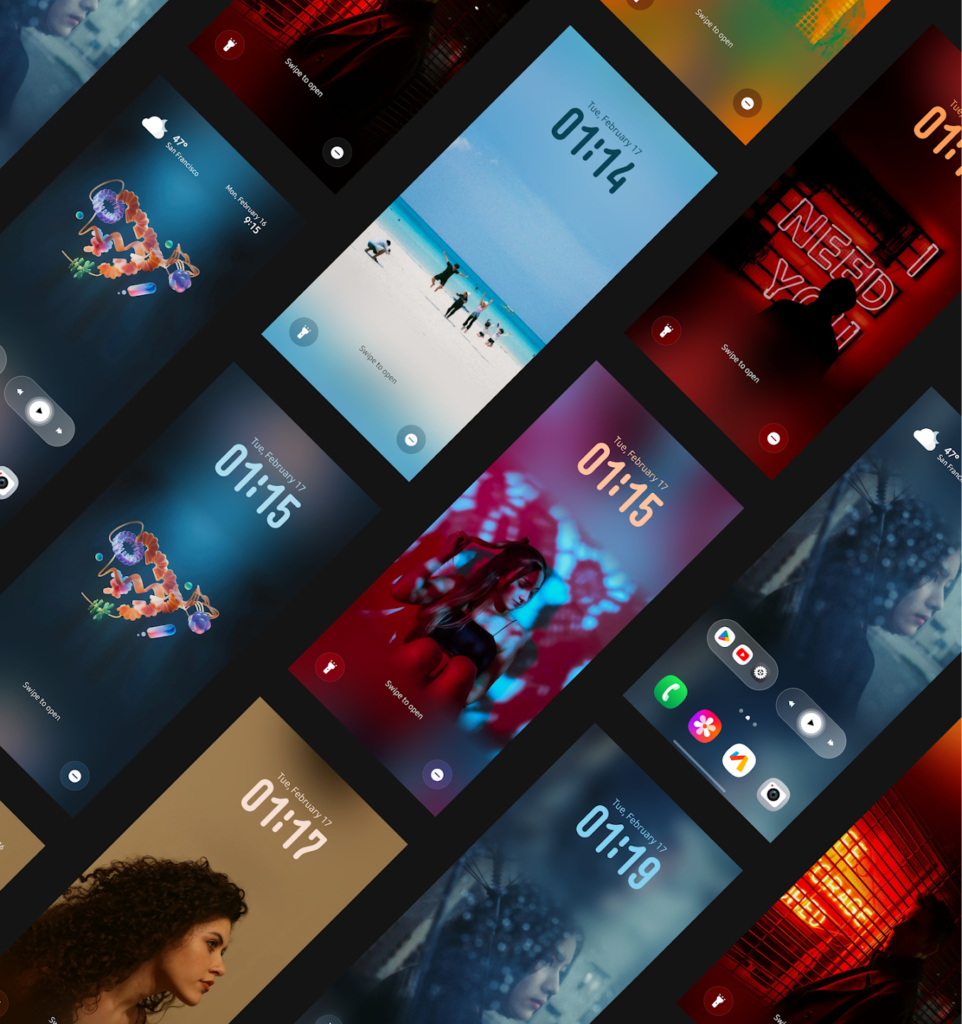
MusWall is a unique Android customization app that changes your wallpaper based on the music you’re playing.
Whenever you play a song, the app automatically updates your lock screen and home screen wallpaper to match the album art of that track.
Key Features
- Automatically syncs wallpaper with album artwork
- Dynamic color adaptation for each song
- Restores your normal wallpaper when music stops
- Smooth transitions between tracks
This feature is similar to what many iPhone users enjoy on iOS, but now Android users can experience it too.
2. Auto Reply Calls – Smart Missed Call Responses
Auto Reply Calls solves a simple but common problem: replying to missed calls.
If someone calls you and you miss it, the app can automatically send a message explaining why you couldn’t answer.
Useful Scenarios
- When you’re driving
- During meetings
- While working
- When you’re busy or unavailable
You can also switch between different statuses such as “At Work,” “Driving,” or “Busy.”
3. Atmo Engine – Beautiful Wallpaper Transitions

Atmo Engine brings a stylish lock screen transition effect inspired by Nothing OS.
What it Does
When you unlock your phone, your wallpaper transitions from sharp to blurred or vice versa.
Additional Features
- Customizable blur effects
- Reverse transitions
- Multiple wallpaper rotation
- Open-source and free
It adds a premium feel to any Android device.
4. One Battery – Detailed Charging Insights
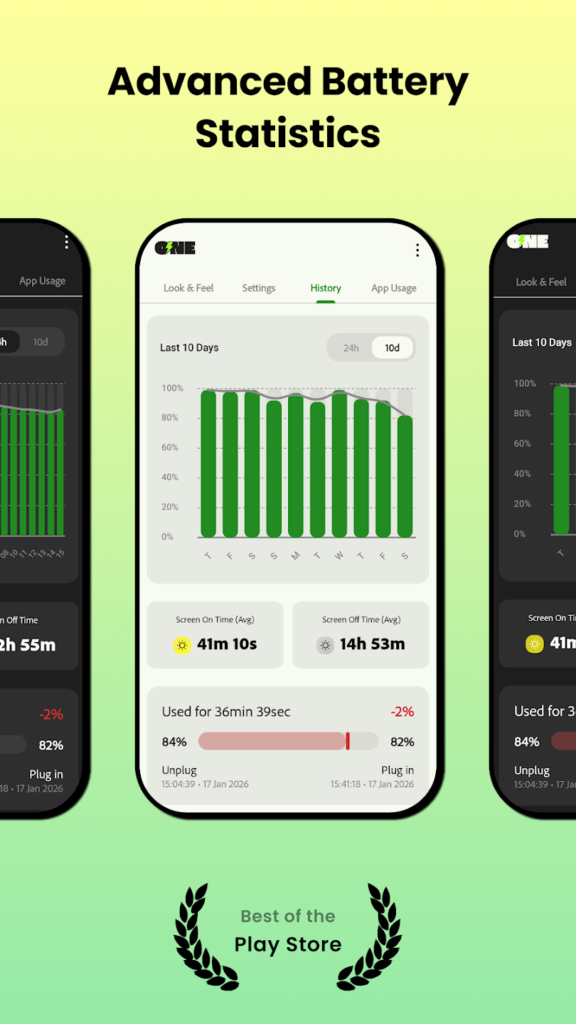
One Battery gives you detailed information about how your phone charges.
Whenever you plug in your phone, an Always-On Display style screen appears showing:
- Charging wattage
- Charging current
- Estimated full charge time
Extra Features
- Battery health monitoring
- Temperature tracking
- Maximum battery capacity insights
It’s perfect for people who want to monitor charging performance.
5. Qota – Split Expenses Easily
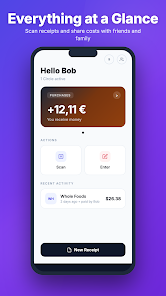
If you frequently split bills with friends or roommates, Qota is extremely useful.
The app lets you scan receipts and automatically divide expenses.
How It Works
- Scan a receipt
- The app extracts item prices
- Split costs between people
You can even assign custom percentages per item, making expense sharing fair and simple.
6. Wispr Flow – Smart Voice Typing

Voice typing on Android can often be frustrating. Wispr Flow fixes this problem.
Instead of typing messages manually, you can speak naturally, and the app converts speech into properly formatted text.
Why It’s Better
- Adds punctuation automatically
- Removes filler words like “um” or “uh”
- Corrects sentences as you speak
- Works across multiple apps
You can use it in:
- Gmail
- Slack
- Messaging apps
7. Call Me – Fake Call Scheduler
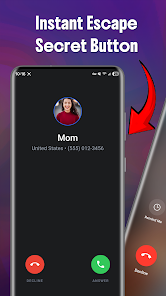
Call Me is designed for situations where you need an exit strategy.
It lets you schedule a fake incoming call that helps you leave awkward or uncomfortable situations.
Key Features
- Custom caller name
- Custom phone number
- Fake call timer
- Secret trigger using power button
This can be useful during awkward meetings or social situations.
8. What’s SMS – Smart Messaging Replies
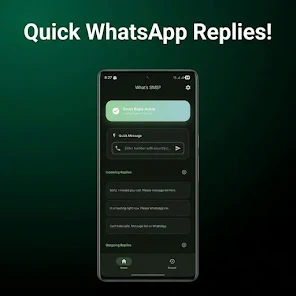
What’s SMS improves missed call responses by integrating messaging apps.
Instead of sending SMS replies, it lets you respond through:
- Telegram
- Signal
This makes communication faster and more convenient.
9. Dopifier – Auto Clicker Automation
Dopifier is an automation tool that records screen actions and repeats them automatically.
Use Cases
- Gaming automation
- Repetitive app tasks
- Productivity shortcuts
You simply record a sequence of taps and swipes once, and the app will repeat them whenever needed.
10. AutoMute – Scheduled Chat Muting
AutoMute allows you to silence specific chats automatically during certain hours.
Example
You can mute a noisy group chat during work hours (9 AM to 5 PM) and have it unmute automatically afterward.
Additional Options
- Mute specific apps
- Filter notifications by keywords
- Weekend and weekday schedules
11. OmniTools – All-in-One Utility App
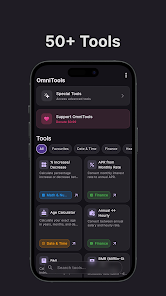
OmniTools combines multiple everyday tools into a single app.
Included Tools
- Parking location finder
- Pomodoro timer
- Finance calculators
- BMI calculator
- Unit converters
- Time converters
It’s essentially a Swiss army knife for Android users.
12. Call Guardian – Advanced Spam Call Blocking

Spam calls are a major problem. Call Guardian helps block them intelligently.
Features
- Spam call detection
- Automatic call rejection
- Call verification technology (STIR/SHAKEN)
- Local processing for privacy
The app even provides statistics on blocked calls.
13. TimeBoard – Better World Clock Widgets
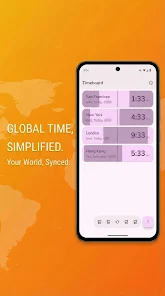
TimeBoard is perfect for people who interact with different time zones.
Instead of displaying simple numbers, it shows visual day-night cycles for each location.
Benefits
- Quickly see if it’s day or night in another country
- Useful for remote teams
- Clean Material Design widgets
14. Sticky Notes TV – Notes on Your Television
Sticky Notes TV brings productivity to your living room.
This app allows you to place digital sticky notes directly on your Android TV or Google TV.
Why It’s Useful
- Perfect for family reminders
- Shared grocery lists
- Daily task planning
It’s a clever way to use your TV for productivity.
15. NoMone Desktop – Turn Your Phone Into a Computer
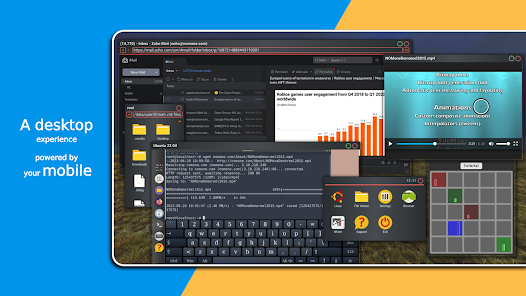
NoMone Desktop is one of the most powerful apps on this list.
It allows you to run Linux directly on your Android device.
What You Get
- Desktop-style interface
- Window multitasking
- Linux applications on mobile
- VR support for XR headsets
Essentially, it turns your smartphone into a mini computer.
Final Thoughts
If you want to upgrade your phone experience, installing these Best Android Apps 2026 is a great place to start. Android’s flexibility allows developers to create incredibly powerful applications. The apps listed above offer a wide range of features, including productivity tools, customization options, and automation utilities.
Whether you want to improve your workflow, customize your phone, or explore advanced tools, these best Android apps of 2026 are definitely worth trying.