
Buying a separate charger for your laptop, smartphone, tablet and earbuds is becoming increasingly unnecessary. A good USB-C GaN charger can replace several bulky power adapters with one compact charging solution.
Whether you use a MacBook, a Windows ultrabook, a Samsung Galaxy smartphone, an iPhone or a tablet, a compatible GaN charger can make your everyday setup considerably simpler.
But choosing one isn’t as simple as buying the charger with the highest wattage printed on its box.
A 65W charger may be perfect for a MacBook Air but insufficient for a powerful workstation laptop. A 100W charger may support multiple devices, but its power output can change when you connect a second phone. And not every USB-C charger supports the fast-charging protocol your smartphone requires.
For this guide, we’ve shortlisted four products worth considering in India:
- Stuffcool Numen 65W GaN: A compact multiport option with clearly specified power distribution.
- CMF Power 65W GaN: A three-port option for people using multiple devices.
- Belkin BoostCharge Pro 65W: A premium dual-USB-C charger with a two-year warranty.
- ASUS 100W USB-C GaN Charger: A higher-power option for compatible laptops requiring more than 65W.
Our overall recommendation: The Stuffcool Numen 65W is the most balanced option for someone who wants to charge a laptop and smartphone from one adapter. If your laptop needs more power, the ASUS 100W charger is the more sensible upgrade.
Let’s compare them.
Best GaN Chargers for Laptops in India: Quick Comparison
| Charger | Maximum power | Ports | Best for | Indicative price |
|---|---|---|---|---|
| Stuffcool Numen 65 | 65W | 2 USB-C + 1 USB-A | Best overall multi-device option | ₹2,099 |
| CMF Power 65W GaN | 65W | 2 USB-C + 1 USB-A | Mixed phone and laptop charging | ₹2,999 |
| Belkin BoostCharge Pro 65W | 65W | 2 USB-C | Premium dual-device charging | Around ₹2,849–₹3,799 |
| ASUS AC100-03 100W | 100W | 2 USB-C + 1 USB-A | Higher-power USB-C laptops | ₹4,999 |
Prices are indicative listing snapshots. The Stuffcool price is from its official store, the CMF price is from Reliance Digital, the Belkin price varies between retailer listings, and the ASUS price is from its Indian eShop. Verify availability, exact model, warranty and final checkout price before ordering. Stuffcool
1. Stuffcool Numen 65W GaN: Best Overall
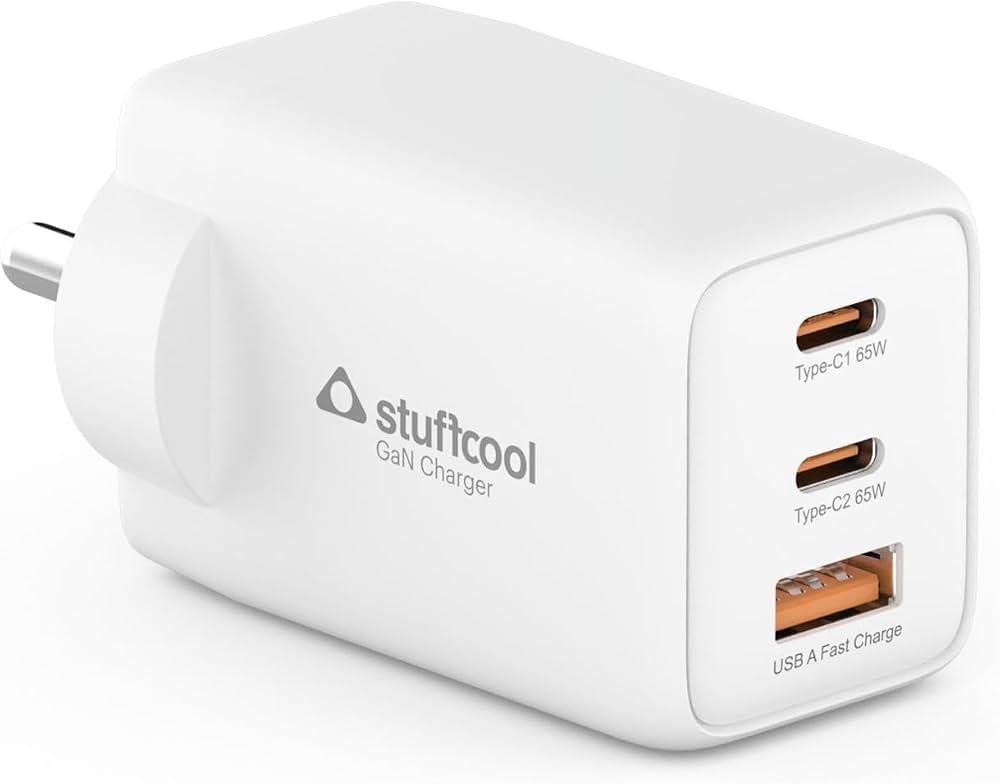
Best for: People who want to charge a laptop, smartphone and accessories using one compact adapter.
The Stuffcool Numen 65W GaN Charger is an interesting option because it offers three charging ports without making the power distribution difficult to understand.
It has two USB-C ports and one USB-A port, with a maximum total output of 65W.
The important detail is that Stuffcool publishes the output available when multiple ports are used simultaneously.
Charging specifications
| Connection | Advertised output |
|---|---|
| USB-C1 alone | Up to 65W |
| USB-C2 alone | Up to 65W |
| USB-C1 + USB-C2 | 45W + 20W |
| USB-C1 + USB-A | 45W + 18W |
| All three ports | 45W + 15W shared |
The charger also supports USB Power Delivery, PPS and AVS. It advertises Samsung Super Fast Charging compatibility for supported devices.
Other details include:
- GaN technology.
- Two USB-C connections.
- One USB-A connection.
- Approximately 110g weight.
- BIS approval claimed by the manufacturer.
- Made in India, according to the manufacturer.
- Six-month warranty, extendable by another six months through product registration.
Stuffcool listed the charger at ₹2,099 when checked. Stuffcool
Why consider it?
The 45W + 20W arrangement is useful for a typical laptop-and-phone combination.
For example, you can connect a compatible laptop to USB-C1 and a smartphone to USB-C2. The laptop receives up to 45W while the second device receives up to 20W.
That is considerably more useful than a charger that simply advertises 65W without explaining how much power remains available when multiple devices are connected.
What should you know before buying?
Its total output is still 65W. It isn’t a replacement for a 100W or 140W adapter if your laptop needs that much power.
Also, the warranty starts at six months. Registering the purchase can extend it to 12 months, so don’t forget that step.
Our verdict: A strong choice for everyday laptop-and-phone charging, especially if you want three ports and a compact design.
Affiliate link placement: [Insert Stuffcool Numen 65 affiliate link here]
CTA: Check Stuffcool Numen 65 Price
Official specifications: Stuffcool Numen 65 official product page
2. CMF Power 65W GaN: Best Three-Port Alternative
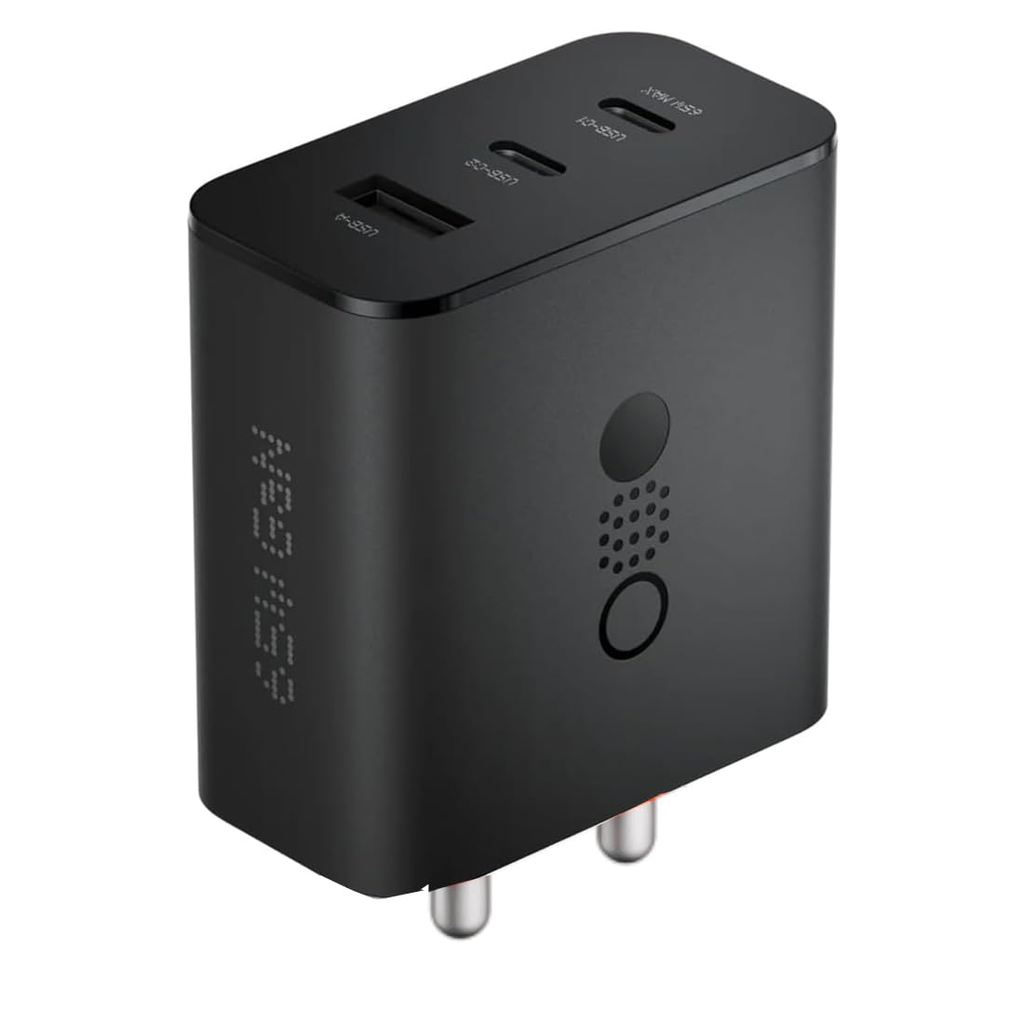
Best for: Users who want a compact charger for multiple USB-C devices and everyday accessories.
The CMF Power 65W GaN is a three-port GaN adapter from CMF, the accessories brand associated with Nothing.
Its design includes two USB-C ports and one USB-A port.
According to the manufacturer’s support documentation, either USB-C port can provide up to 65W when used individually. The charger also supports USB Power Delivery, PPS and Quick Charge protocols. Nothing Support
Why consider the CMF charger?
It is designed for people who regularly charge several devices.
Possible uses include:
- A USB-C laptop.
- An Android smartphone.
- Wireless earbuds or another USB-A accessory.
The three-port arrangement makes it practical for travel and shared workspaces.
Reliance Digital listed the charger at ₹2,999 with a one-year manufacturer warranty when checked. Reliance Digital
What should you check?
The charger has a maximum total output of 65W, not 65W independently available to all three ports simultaneously.
Check the official manual’s power-distribution table before planning a laptop-and-phone charging combination. Also verify the exact regional model and input-voltage specifications.
Our verdict: Worth comparing if you prefer the CMF design and want three charging connections with a one-year warranty through the listed retailer.
Affiliate link placement: [Insert verified CMF Power 65W affiliate link here]
CTA: Check CMF Power 65W Price
3. Belkin BoostCharge Pro 65W: Best Premium Dual USB-C Charger
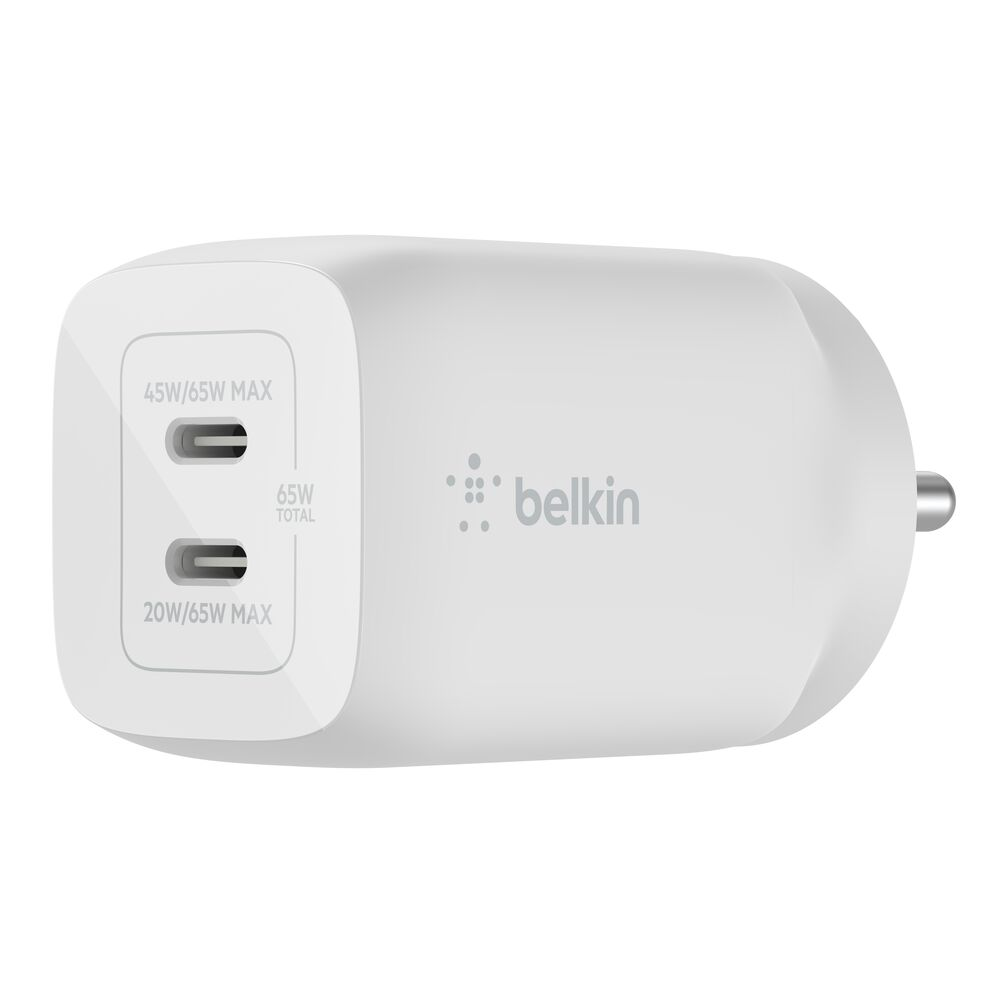
Best for: People who want to charge a laptop and smartphone simultaneously and prefer a longer manufacturer warranty.
The Belkin BoostCharge Pro 65W Dual USB-C GaN Charger takes a slightly different approach.
Instead of including a USB-A port, it provides two USB-C connections.
Belkin’s published specifications include:
- 65W maximum output when using one USB-C port.
- 45W + 20W power distribution when both ports are used.
- USB Power Delivery 3.0.
- PPS support.
- GaN technology.
- Two-year warranty.
The official product listing also describes compatibility with supported MacBook, iPhone, Samsung Galaxy, Pixel and other USB-C devices. Belkin US
Why consider Belkin?
The dual-USB-C arrangement is useful if your laptop and phone both use USB-C.
You don’t have to keep a separate USB-A cable around just to use the second port.
The 45W + 20W split is particularly practical for a compatible laptop and smartphone combination.
The two-year warranty is another advantage compared with some budget alternatives.
Retailer listings checked for this guide showed prices varying between approximately ₹2,849 and ₹3,799. Verify the exact WCH013 model and Indian warranty before purchasing. Zepto
What are the drawbacks?
The charger has only two USB-C ports, so older USB-A accessories require another adapter or cable solution.
It is also a 65W charger. If your laptop requires 90W or 100W under sustained load, consider a higher-output model.
Our verdict: A good premium alternative if two USB-C ports and a two-year warranty matter more than getting the highest wattage for your money.
Affiliate link placement: [Insert Belkin BoostCharge Pro 65W affiliate link here]
CTA: Check Belkin BoostCharge Pro 65W Price
Official specifications: Belkin BoostCharge Pro 65W official India page
4. ASUS 100W USB-C GaN Charger: Best for Higher-Power Laptops
Best for: Compatible laptops that need more than 65W and people who want additional charging headroom.
If your laptop requires more power than a typical ultrabook, consider the ASUS 100W USB-C GaN Charger AC100-03.
ASUS lists a maximum 100W output from either USB-C port when used individually.
It also includes one USB-A connection, giving you three charging ports in total.
Charging specifications
| Connection | Advertised output |
|---|---|
| USB-C1 alone | Up to 100W |
| USB-C2 alone | Up to 100W |
| USB-C1 + USB-C2 | Up to 95W combined, depending on allocation |
| USB-C1 + USB-A | 65W + 30W |
| All three ports | 65W + 15W + 15W |
The charger supports USB-C PD and PPS, and ASUS lists protections against overvoltage, overcurrent and overheating.
Other specifications:
- Two USB-C ports.
- One USB-A port.
- 100W maximum single-port output.
- Universal 100–240V input.
- 150cm USB-C cable included.
- 220g weight.
- One-year limited manufacturer warranty.
The ASUS Indian eShop listed it at ₹4,999 when checked. ASUS India
Why choose 100W instead of 65W?
Suppose your laptop needs 90W for optimal charging.
A 65W charger may still charge it if the laptop supports USB-C PD at that wattage, but charging may be slower, particularly during demanding workloads.
A compatible 100W charger gives you more headroom.
It is also useful if you want to charge a laptop while simultaneously charging a phone or another accessory.
What are the limitations?
The 100W figure is not available to every port simultaneously.
When multiple ports are used, ASUS redistributes the available power. For example, connecting all three ports results in a maximum advertised allocation of 65W + 15W + 15W.
Also, check that your laptop supports USB-C Power Delivery charging at the required wattage. A USB-C port does not automatically mean the laptop accepts charging through that port.
Our verdict: The most sensible option in this comparison if your compatible laptop genuinely needs more than 65W.
Affiliate link placement: [Insert ASUS AC100-03 affiliate link here]
CTA: Check ASUS 100W GaN Charger Price
Official listing: ASUS 100W GaN Charger Indian eShop
Which GaN Charger Should You Buy?
Here’s a straightforward comparison based on different buying requirements.
| Your requirement | Recommended option | Reason |
|---|---|---|
| Laptop and phone charging from one adapter | Stuffcool Numen 65 | Clearly specified 45W + 20W distribution |
| Three-port charging with CMF design | CMF Power 65W | Two USB-C ports and one USB-A |
| Two USB-C devices and longer warranty | Belkin 65W | 45W + 20W and two-year warranty |
| Compatible laptop requiring higher wattage | ASUS 100W | Up to 100W from one USB-C port |
These recommendations are based on specifications and published information, not controlled comparative charging tests.
My buying advice: If your laptop needs 65W or less, start with the Stuffcool Numen 65. If you need 100W, the ASUS is the more appropriate choice. Don’t pay for 100W if your devices cannot use it.
65W vs 100W vs 140W: How Much Power Do You Actually Need?
This is probably the most important part of choosing a laptop charger.
A higher wattage is useful only when your connected device supports it.
| Charger wattage | Typical suitable devices | Buying advice |
|---|---|---|
| 30W–45W | Smartphones, tablets, light laptops | Good for everyday mobile devices and some ultrabooks |
| 65W | MacBook Air and many thin-and-light laptops | Best balance for everyday laptop charging |
| 100W | Higher-power USB-C laptops and some workstation models | Better for compatible laptops needing more power |
| 140W | Supported high-power USB-C laptops | Requires suitable USB PD 3.1 support and cable |
| 180W–240W | Specific high-power USB-C devices | Check full device and USB PD 3.1 compatibility |
These are general buying categories, not universal laptop charging requirements.
Do you need a 65W charger for a MacBook Air?
A compatible 65W USB-C PD charger is generally more than sufficient for many MacBook Air configurations.
However, check your exact MacBook model and the charging specifications supplied by Apple.
Can a 65W charger power a Windows laptop?
Yes, if the laptop supports USB-C Power Delivery and accepts charging at the available wattage.
Some laptops require 45W, 65W or 90W, while others have proprietary charging systems.
Check the original adapter label and laptop manufacturer’s documentation before replacing the supplied charger.
Can a 65W GaN charger charge a gaming laptop?
Some gaming laptops support USB-C charging, but that does not mean a 65W charger can replace their primary power adapter.
A gaming laptop with a dedicated GPU may consume considerably more power under load.
A 65W charger might be suitable for light productivity or charging while the laptop is idle, but it may not maintain battery charge during gaming.
For high-performance gaming laptops, check the manufacturer’s recommended adapter and USB-C charging limits.
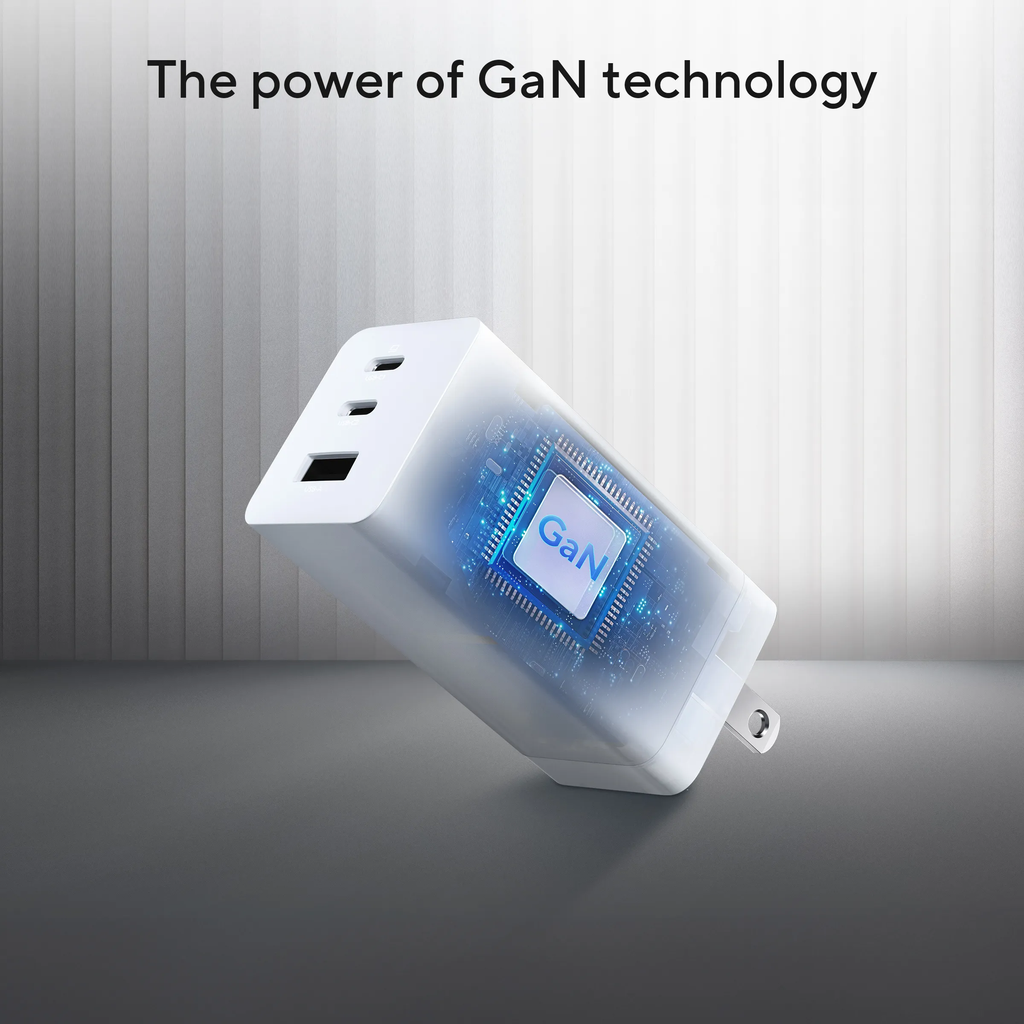
What Is GaN Technology, and Is It Actually Better?
GaN stands for Gallium Nitride.
It is a semiconductor material used in power electronics. Compared with traditional silicon-based designs, GaN technology can support efficient power conversion at higher switching frequencies, helping manufacturers create smaller high-power chargers.
This is why modern GaN chargers can deliver laptop-level power in a relatively compact body.
Does GaN mean faster charging?
Not automatically.
A 65W GaN charger is not inherently faster than every conventional 65W charger.
Charging speed depends on:
- The charger’s supported output profiles.
- The connected device’s maximum charging capability.
- USB Power Delivery or another compatible charging protocol.
- Cable power rating.
- Battery temperature and charging state.
GaN primarily helps with charger design, size and power-conversion efficiency. It is not a replacement for compatible charging protocols.
USB PD vs PPS: Which Charging Technology Should You Look For?
You will frequently see the terms PD and PPS on modern chargers.
They are important because two chargers with identical wattage ratings may offer different charging compatibility.
USB Power Delivery
USB Power Delivery is a charging standard that allows a compatible power source and device to negotiate suitable voltage and current levels.
It is widely used by USB-C laptops, tablets, smartphones and other accessories.
The USB-IF specification also supports power management across multiple devices and higher power levels through USB-C. USB Implementers Forum
PPS: Programmable Power Supply
PPS is an optional feature within the USB Power Delivery ecosystem.
It allows compatible devices to request adjustable voltage levels rather than relying only on fixed output steps.
This is particularly relevant when buying chargers for supported Samsung Galaxy smartphones that use Samsung Super Fast Charging.
A charger advertising 65W does not automatically mean it supports Samsung’s maximum charging speed. Check PPS compatibility and the phone’s supported charging profile.
What about OnePlus, OPPO and Xiaomi?
Some smartphone manufacturers use proprietary fast-charging implementations.
A third-party USB-C PD charger may charge these phones perfectly well but may not achieve the maximum speed advertised for the original manufacturer charger.
If maximum smartphone charging speed is your priority, check the exact phone’s supported protocols rather than relying on wattage alone.
Don’t Ignore the USB-C Cable
A charger is only one part of the charging system.
Your cable must also support the power level you want to use.
For example, if you purchase a 65W charger but connect a cable that is limited to 60W, you may not receive the full advertised output.
When buying a cable, check:
- USB-C to USB-C compatibility.
- Supported power rating.
- Whether an e-marker is required for the intended charging mode.
- Cable length and build quality.
- Whether the cable supports data transfer if you need it.
Some chargers include a suitable cable. The Stuffcool Numen 65C, for example, is bundled with a 100W 5A e-marked USB-C cable. Stuffcool
The USB-IF also explains that USB-C cables have different power and data capabilities, so selecting a cable appropriate for your device and charger matters. USB Implementers Forum
Buying tip: Avoid choosing a charger and then pairing it with an unknown, very cheap cable. Use a manufacturer-supplied or properly rated cable.
How to Check Whether a GaN Charger Is Safe to Buy in India
This is particularly important when purchasing inexpensive multiport chargers online.
Before ordering, check the following:
- Buy from the manufacturer or an authorised seller where possible.
- Look for the applicable BIS Standard Mark and registration information.
- Check that the exact product model is covered by the registration.
- Verify the manufacturer’s warranty and replacement process.
- Avoid damaged chargers, loose plug pins and suspiciously cheap unbranded products.
- Check the charger’s supported input voltage and the electrical compatibility of your wall socket.
The Bureau of Indian Standards provides the BIS CARE app, which includes a feature to verify electronic products using their R-number under the Compulsory Registration Scheme. Its documentation also lists power adapters for IT equipment among covered product categories. BIS
You can find the official app information through the BIS CARE App listing.
Remember that BIS registration is a safety-compliance check, not a guarantee that a charger will deliver the highest possible charging speed or that it is suitable for every laptop.
Frequently Asked Questions
Which is the best GaN charger for a laptop in India?
The Stuffcool Numen 65W is our overall recommendation for compatible laptops and smartphones because it offers three ports and a clearly published power-distribution table. The ASUS 100W charger is a better option if your laptop needs more than 65W.
Is a 65W GaN charger enough for a MacBook?
For many MacBook Air models, yes. Some MacBook Pro configurations can also charge through a 65W USB-C PD charger, although charging speed and performance depend on the model and workload. Check Apple’s specifications for your exact MacBook.
Is a 100W charger safe for a 65W laptop?
Generally, yes, provided the charger follows the appropriate USB Power Delivery specifications and the laptop supports USB-C PD charging. The laptop negotiates the power it requires rather than automatically receiving the charger’s maximum wattage.
Can I charge my phone and laptop simultaneously?
Yes, if the charger has multiple outputs and supports sufficient power distribution. For example, the Stuffcool Numen 65 provides a published 45W + 20W arrangement across its two USB-C ports.
Does a GaN charger damage laptop batteries?
A properly designed, compatible USB-C PD charger should not damage a laptop simply because it has a higher maximum wattage. The laptop manages its charging requirements. Use reputable products and suitable cables.
Is a GaN charger better than the original laptop charger?
Not necessarily. A GaN charger may be smaller and more convenient, but your original adapter may offer higher wattage or manufacturer-specific compatibility. Replace it only after confirming the new charger’s output and protocol requirements.
Can I use one GaN charger for my phone, laptop and tablet?
Yes, if the charger has sufficient total output and compatible ports. Remember that the available wattage is shared when several devices are connected simultaneously.
Does USB-C mean my laptop supports USB-C charging?
No. A USB-C port may support data, display output, charging, or a combination of these functions. Check your laptop’s specifications for USB-C Power Delivery input support.
Final Verdict: Which GaN Charger Is Worth Buying?
A good GaN charger can reduce the number of adapters you carry and make your laptop-and-phone setup much simpler.
Our recommendations are:
- Best overall: Stuffcool Numen 65W for its useful three-port layout and clearly documented power distribution.
- Best alternative: CMF Power 65W GaN for its three-port charging arrangement and one-year retailer-listed warranty.
- Best premium 65W option: Belkin BoostCharge Pro 65W for dual USB-C ports and a two-year warranty.
- Best higher-power option: ASUS 100W GaN charger for compatible laptops requiring additional charging headroom.
If you mainly use a lightweight laptop and smartphone, there is little reason to spend ₹5,000 on a 100W charger unless you need the extra output.
But if your laptop needs 90W or 100W, choosing a 65W charger simply to save money may not be the best decision.
Ready to simplify your charging setup? Compare the current prices of the Stuffcool, Belkin and ASUS options, check your laptop’s USB-C charging requirements, and choose a charger that matches your actual devices.
The smartest purchase is not necessarily the charger with the highest wattage. It is the one that delivers the right power, through the right protocol, with the right cable.