
Android 17 New Features: Everything New in Google’s Latest Android Update
Android 17 new features are finally here, bringing a collection of usability upgrades, privacy improvements, interface refinements, and smarter controls for Pixel and Android devices. While this isn’t the biggest Android release ever, Google has focused on polishing everyday experiences and laying the groundwork for larger updates expected later this year.
From redesigned privacy indicators and improved screen recording tools to floating app bubbles and smarter Quick Settings controls, Android 17 introduces dozens of changes that make Android feel smoother and more intuitive.
Official Website
Android 17 New Features Focus on Everyday Improvements
Unlike major Android redesigns, Android 17 concentrates on refining features users interact with daily.
Google has reduced visual clutter, improved navigation, enhanced privacy tools, and streamlined system controls. Many of these upgrades may seem small individually, but together they significantly improve the overall Android experience.
📱 Android 17 Features and Changes List
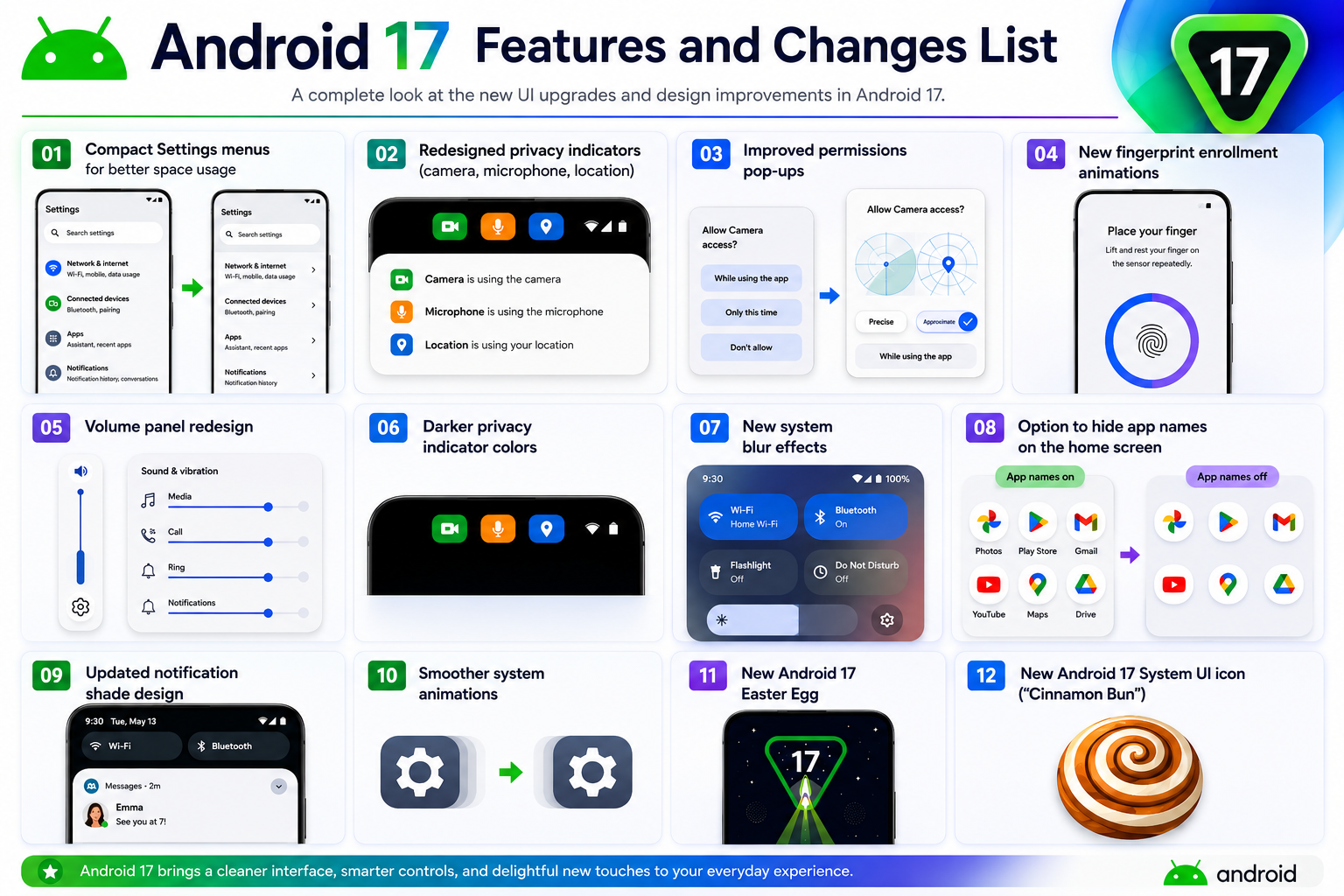
🎨 User Interface & Design
- Compact Settings menus for better space usage
- Redesigned privacy indicators (camera, microphone, location)
- Improved permissions pop-ups
- New fingerprint enrollment animations
- Volume panel redesign
- Darker privacy indicator colors
- New system blur effects
- Option to hide app names on the home screen
- Updated notification shade design
- Smoother system animations
- New Android 17 Easter Egg
- New Android 17 System UI icon (“Cinnamon Bun”)
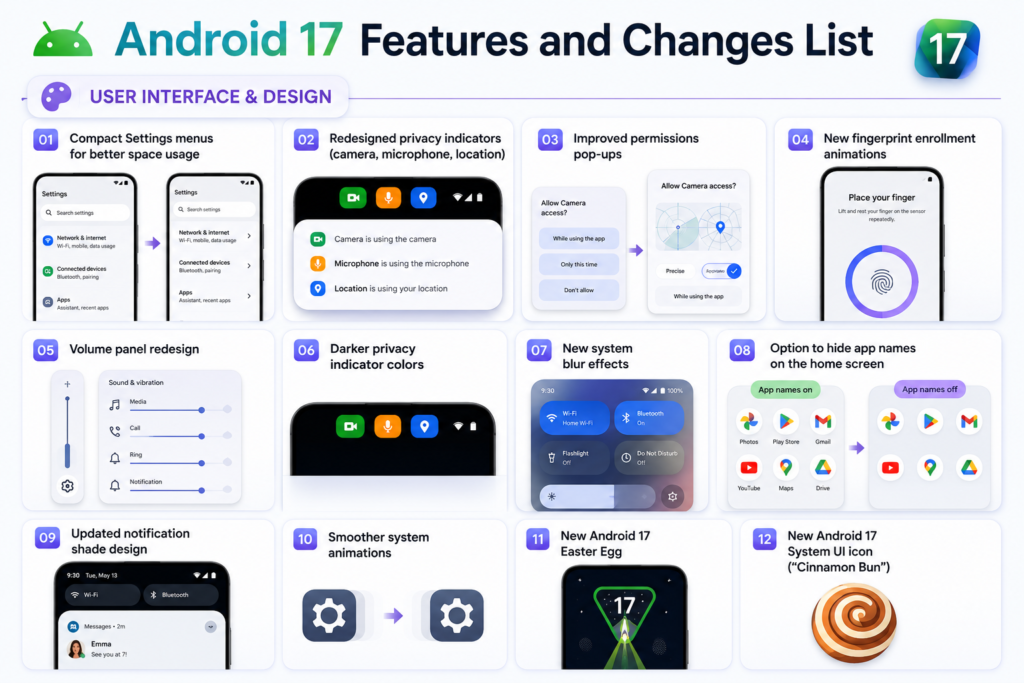
⚡ Productivity & Multitasking
- Floating App Bubbles return
- Improved split-screen controls
- Save images directly from Recent Apps
- Improved predictive back gesture
- Handoff support between devices
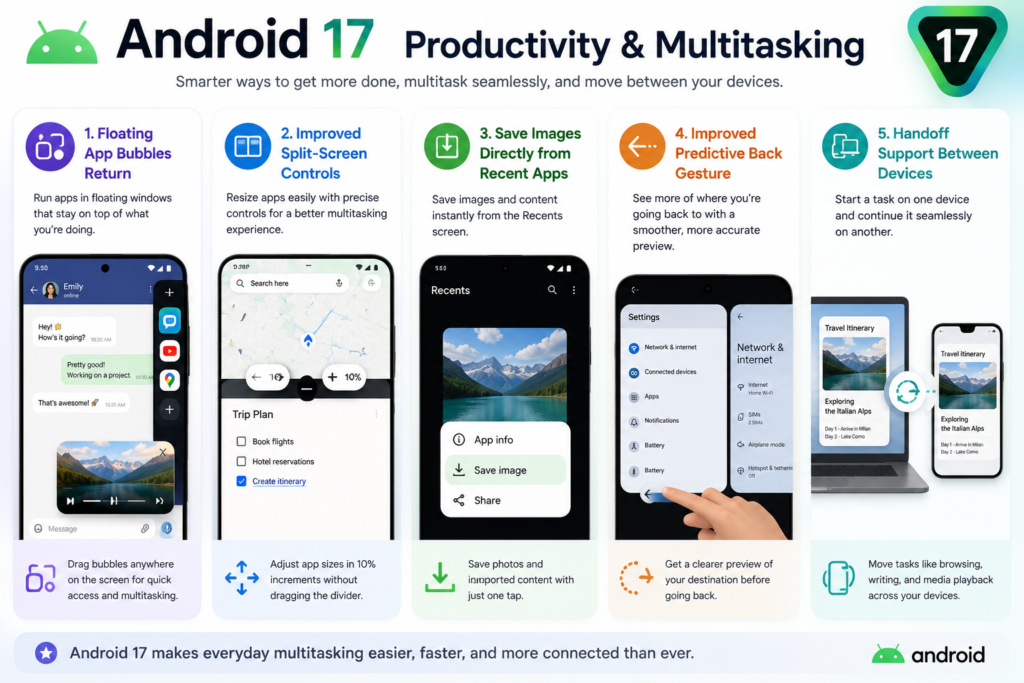
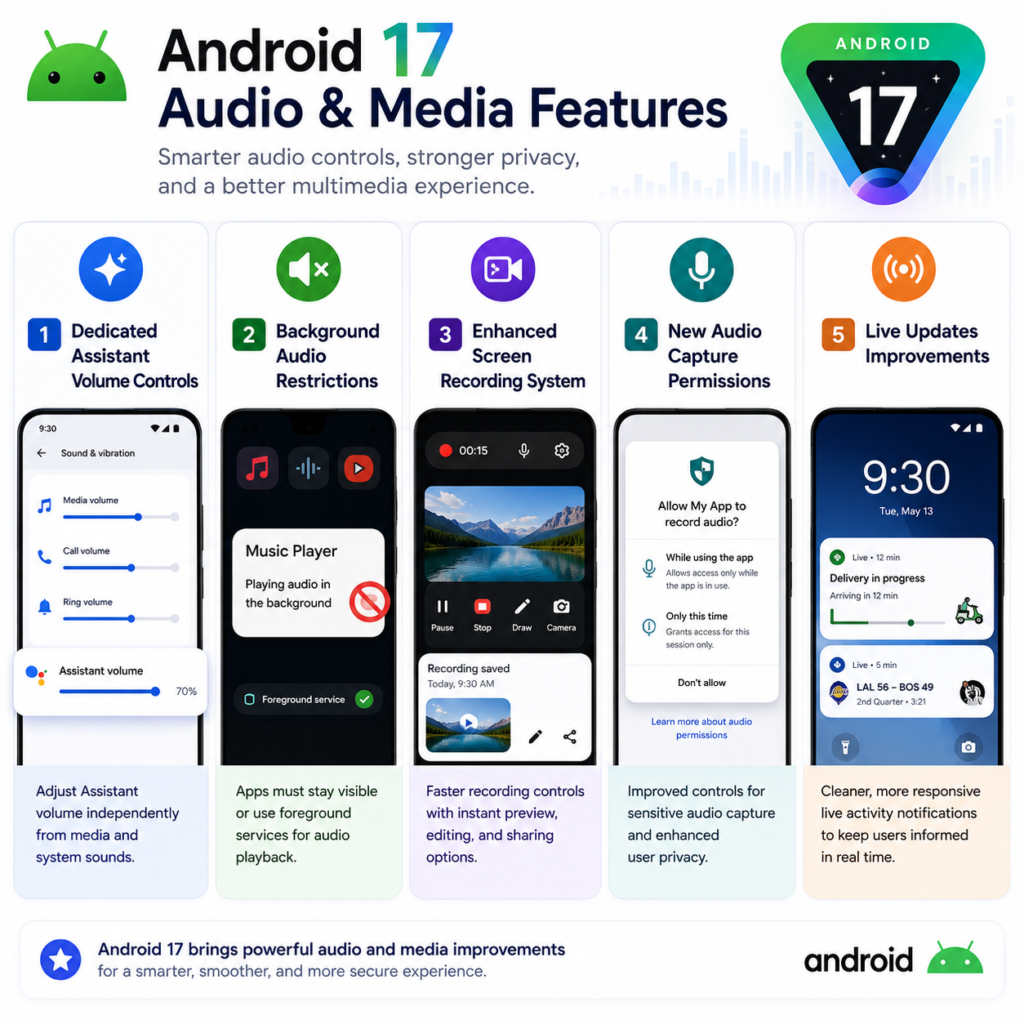
🔊 Audio & Media
- Dedicated Assistant volume controls
- Background audio restrictions for apps
- Enhanced screen recording system
- New audio capture permissions
- Live Updates improvements
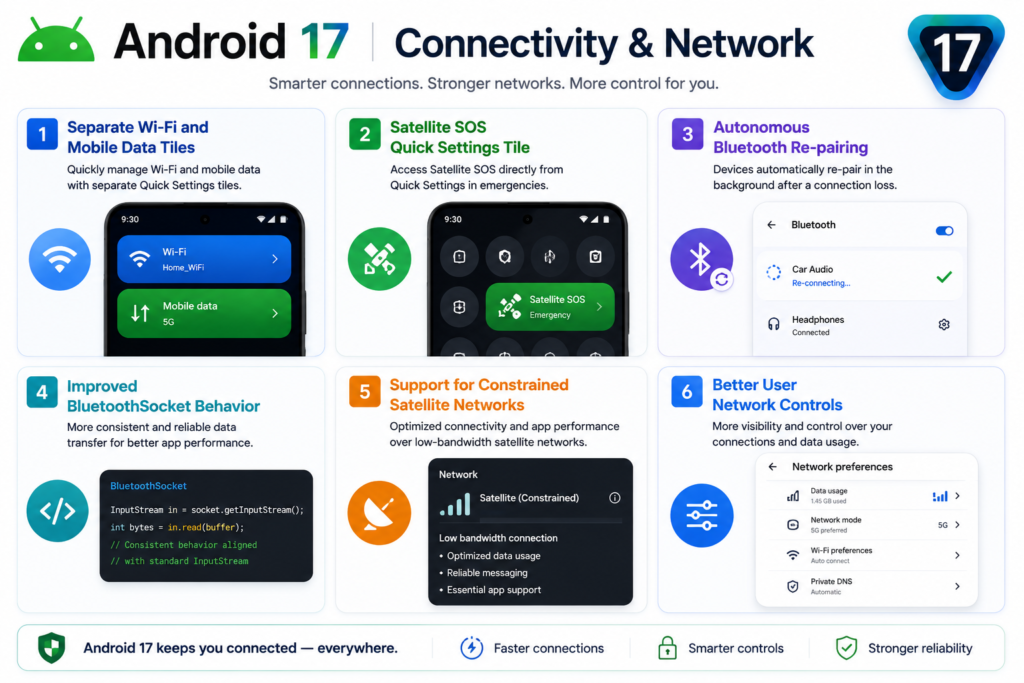
📶 Connectivity & Network
- Separate Wi-Fi and Mobile Data tiles
- Satellite SOS Quick Settings tile
- Autonomous Bluetooth re-pairing
- Improved BluetoothSocket behavior
- Support for constrained satellite networks
- Better user network controls
🔒 Privacy & Security
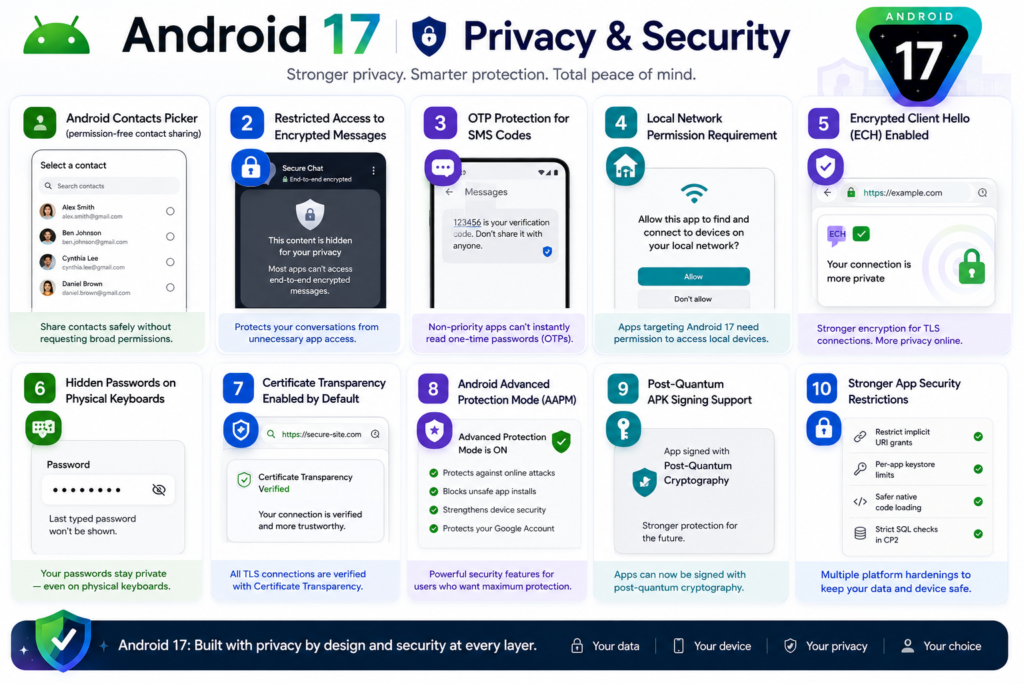
- Android Contacts Picker (permission-free contact sharing)
- Restricted access to encrypted messages
- OTP protection for SMS codes
- Local Network permission requirement
- Encrypted Client Hello (ECH) enabled
- Hidden passwords on physical keyboards
- Certificate Transparency enabled by default
- Android Advanced Protection Mode (AAPM)
- Post-Quantum APK Signing support
- Stronger app security restrictions
🤖 AI & Smart Features
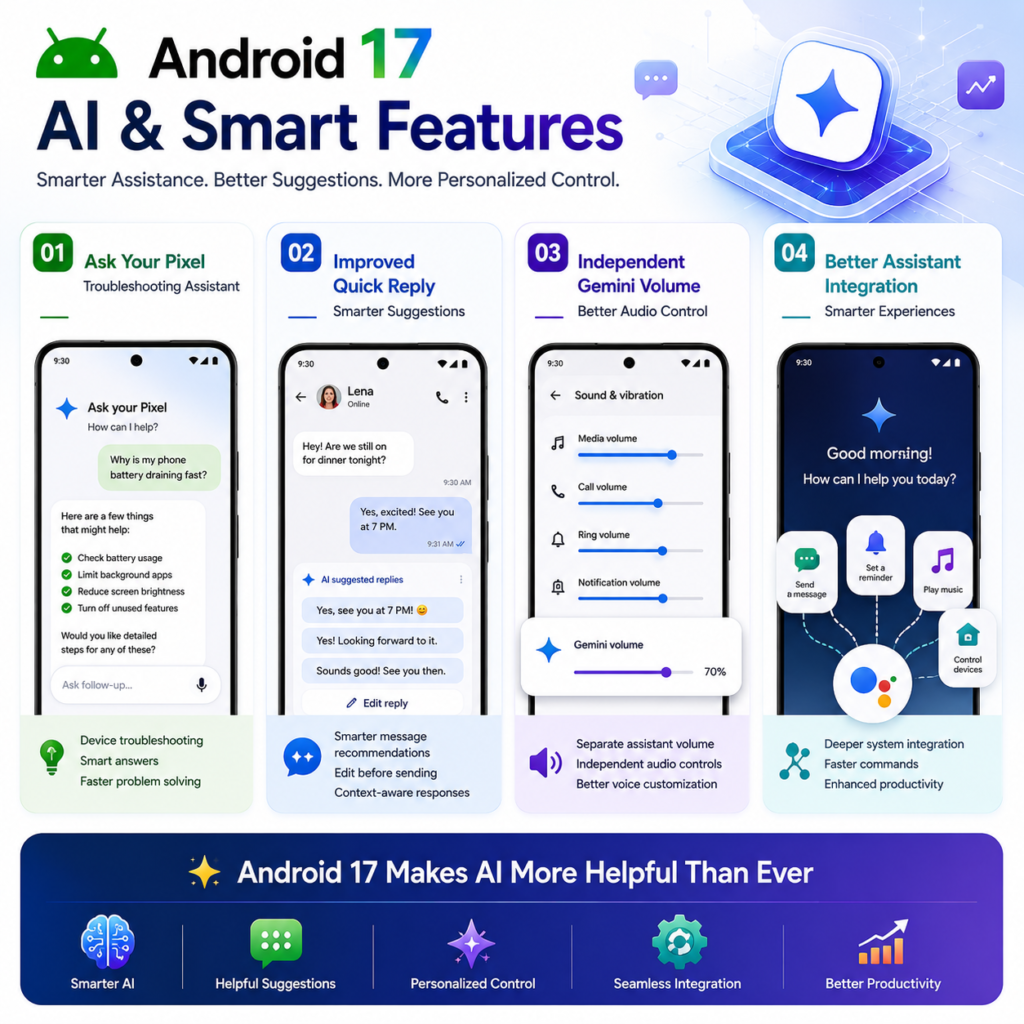
- Ask Your Pixel troubleshooting assistant
- Improved Quick Reply suggestions
- Independent Gemini volume controls
- Better Assistant integration
👨👩👧 Family & Accessibility
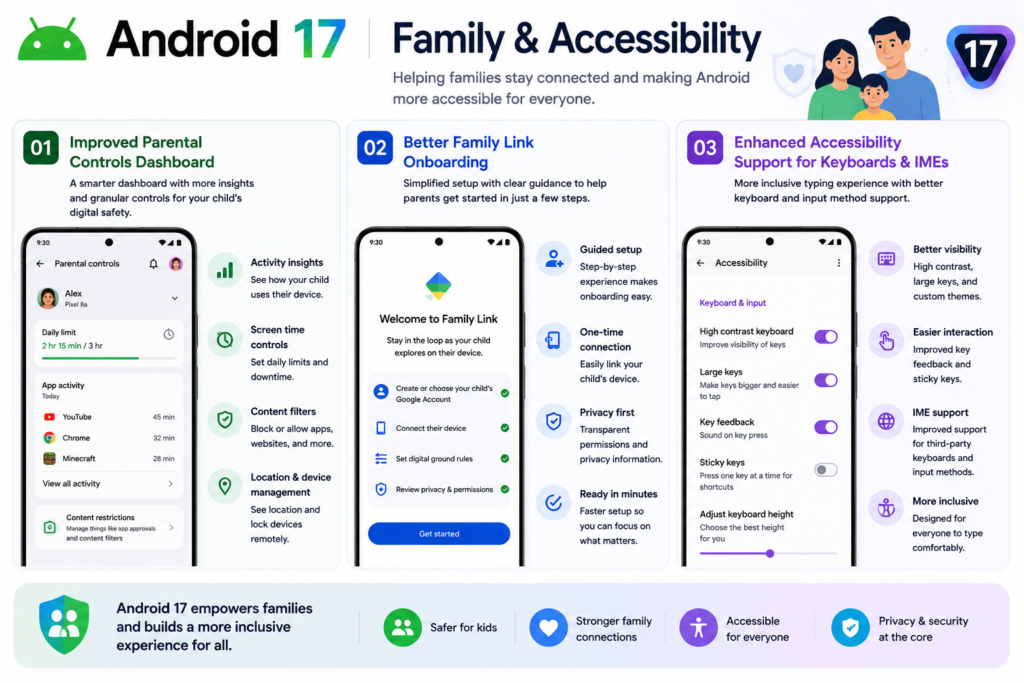
- Improved Parental Controls dashboard
- Better Family Link onboarding
- Enhanced accessibility support for keyboards and IMEs
🛠️ Developer Features
- WebGPU support on Android
- New ProfilingManager tools
- JobDebugInfo APIs
- New NPU feature flag
- Improved MessageQueue performance
- Contacts Picker API
- EyeDropper API
- MetricStyle template for fitness and health apps
- Live Update Semantic Color API
🚀 Biggest Android 17 Features for Everyday Users
New Parental Controls Dashboard
Floating App Bubbles
Separate Wi-Fi & Mobile Data Toggles
Assistant Volume Slider
Redesigned Privacy Indicators
Enhanced Screen Recording
Ask Your Pixel AI Assistant
Improved Quick Reply
Better Split-Screen Controls
Home Screen App Name Toggle
Android 17 New Features: Final Thoughts
Android 17 may not be the most revolutionary Android update, but it delivers meaningful improvements across privacy, usability, multitasking, and customisation.
Features like floating app bubbles, improved screen recording, dedicated network controls, smarter Quick Replies, and enhanced privacy indicators show Google’s continued focus on refining the Android experience.
While many users are already looking ahead to future Android 17 QPR updates, the current release still offers plenty of useful additions that make Android more enjoyable to use every day.
Pingback: GTA 6 Pre Order India: Price, Release Date & PS5 Availability - Cosmic Gadgets