
High school students have plenty of things to print. From mathematics worksheets and science assignments to revision notes, practical records and colourful school projects, having a printer at home can make studying considerably more convenient.
For students in Classes 9–12, a printer can also save time during examination preparation. Instead of repeatedly visiting a photocopy shop, students can print important chapters, previous-year question papers and practice worksheets whenever they need them.
But choosing a printer isn’t as simple as buying the cheapest model.
Some printers are inexpensive to purchase but expensive to maintain. Others offer affordable ink but lack useful features such as Wi-Fi, scanning or automatic double-sided printing.
So, what should parents actually buy?
For most high school students in India, an all-in-one ink-tank printer is a sensible starting point. It can print assignments in black and white, produce colour project sheets, scan documents and make photocopies without requiring expensive replacement cartridges.
In this guide, we compare four printers from Epson, HP, Canon and Brother to help you choose the right one for your child’s academic needs.
Affiliate disclosure: Cosmic Gadgets may earn a commission from qualifying purchases made through links in this article, at no additional cost to you. Our recommendations are based on manufacturer specifications and product research. We have not independently tested these printers.
Quick comparison: Best printers for high school students
| Printer | Best for | Main advantage |
|---|---|---|
| Epson EcoTank L3250 | Best overall student printer | Low ink costs and Wi-Fi |
| HP Smart Tank 589 | Easy everyday home printing | HP Smart app and wireless printing |
| Canon PIXMA MegaTank G3770 | Colour school projects | Colour printing and wireless connectivity |
| Brother DCP-T426W | Frequent document printing | High rated ink yield and 150-sheet tray |
All four are colour ink-tank multifunction printers. They support printing, scanning and copying, although their speeds, ink systems and connectivity features differ.
1. Epson EcoTank L3250 – Best Overall Printer for Students
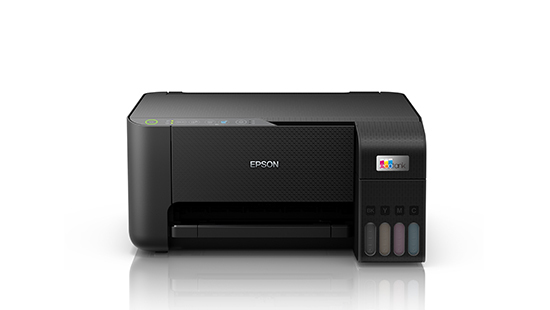
The Epson EcoTank L3250 is a strong choice for households where students regularly print assignments, notes and school projects.
Its biggest advantage is the combination of affordable running costs, wireless printing and an integrated ink-tank system.
Rather than replacing expensive cartridges frequently, users refill the printer using dedicated ink bottles.
Key specifications
| Specification | Details |
|---|---|
| Printer type | Colour ink tank |
| Functions | Print, scan, copy |
| Black print speed | Up to 15 ipm (ISO) |
| Colour print speed | Up to 8 ipm (ISO) |
| Maximum resolution | 5760 × 1440 dpi |
| Connectivity | Wi-Fi, Wi-Fi Direct, USB |
| Scanner | Flatbed |
| Automatic duplex | No |
| Borderless printing | Up to 4R |
Why is it good for high school students?
The L3250 is particularly useful for students who print a mixture of black-and-white notes and colour educational material.
Epson specifies an approximate cost per print of 9 paise for black and 33 paise for colour, based on its stated test methodology.
The manufacturer also quotes yields of up to 4,500 black pages and 7,500 composite colour pages from replacement bottles.
These are laboratory-based estimates. Actual consumption depends on the amount of text, graphics, photographs and printer maintenance.
The printer also supports Epson Smart Panel, allowing users to manage printing and scanning through a compatible smartphone.
Parents can send worksheets from a phone without transferring files to a computer first.
Advantages
- Low stated ink cost per page.
- Wi-Fi and Wi-Fi Direct.
- Print, scan and copy functionality.
- Convenient refillable ink tanks.
- Supports borderless 4R photo printing.
Disadvantages
- No automatic double-sided printing.
- No automatic document feeder.
- Colour printing is slower than dedicated office printers.
Our verdict: For most student households, the Epson EcoTank L3250 is an excellent starting point. It offers the features students actually need without moving into expensive office-printer territory.
2. HP Smart Tank 589 – Best for Wireless Home Printing
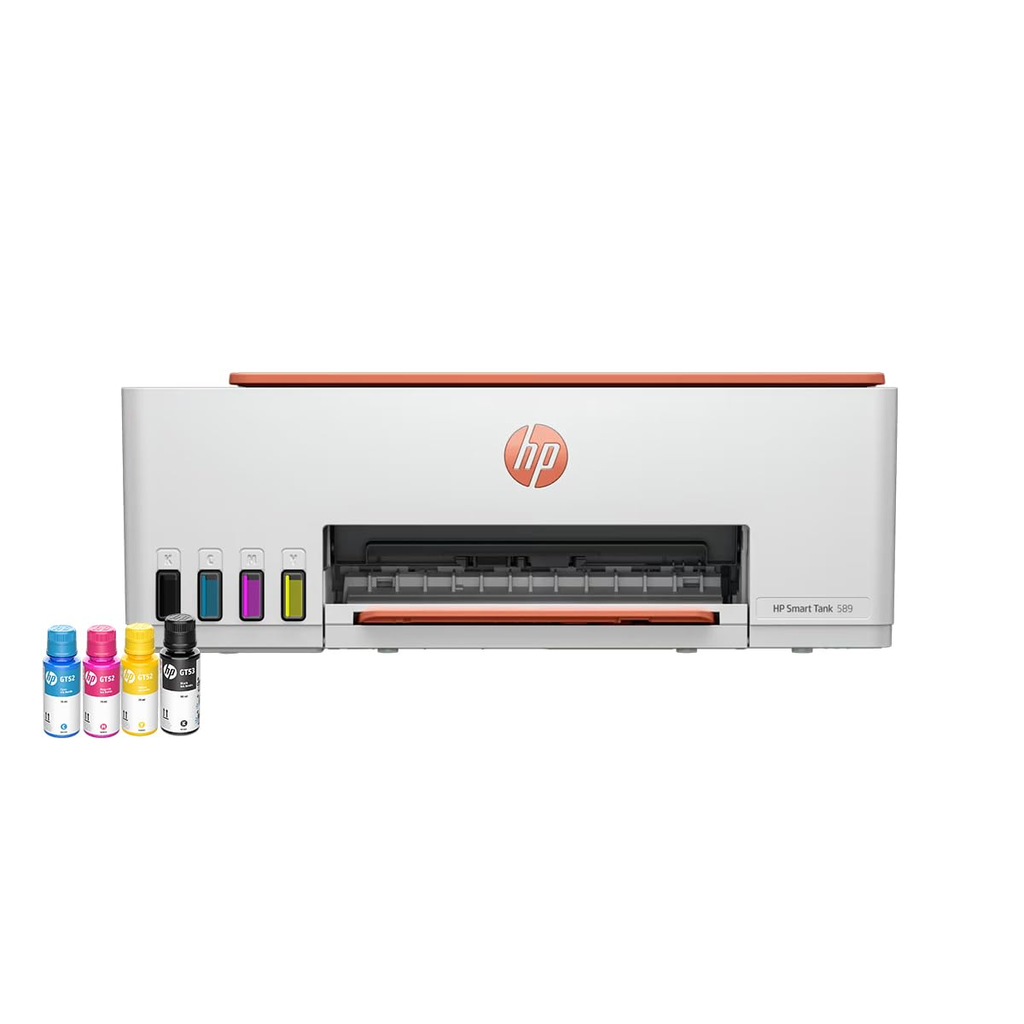
The HP Smart Tank 589 is another useful option for families who want to print from multiple devices.
It is designed for everyday home and small-office printing, with an integrated ink-tank system and support for mobile printing.
Key specifications
| Specification | Details |
|---|---|
| Printer type | Colour ink tank |
| Functions | Print, scan, copy |
| Black print speed | Up to 12 ppm |
| Colour print speed | Up to 5 ppm |
| Connectivity | Wi-Fi, Wi-Fi Direct, USB |
| Scanner | Flatbed |
| Automatic duplex | No |
| Input tray | 100 sheets |
Why should students consider it?
The Smart Tank 589 is useful when several family members share one printer.
Students can print assignments, parents can print forms and other family members can use it for routine documents.
The HP Smart application supports printing and scanning from compatible smartphones.
Its flatbed scanner is useful for digitising handwritten assignments, school forms and study documents.
HP recommends a monthly print volume of 400–800 pages for this model, making it suitable for regular household use rather than demanding commercial workloads.
Advantages
- Wireless printing.
- Smartphone printing support.
- Print, scan and copy.
- Refillable ink-tank design.
- Useful for multiple family members.
Disadvantages
- No automatic duplex printing.
- No automatic document feeder.
- Colour printing is relatively slow.
- Only a 100-sheet input tray.
Our verdict: Choose the HP Smart Tank 589 if ease of use and wireless printing are important to your family. It is a practical home printer for everyday school and household documents.
3. Canon PIXMA MegaTank G3770 – Best for Colour School Projects
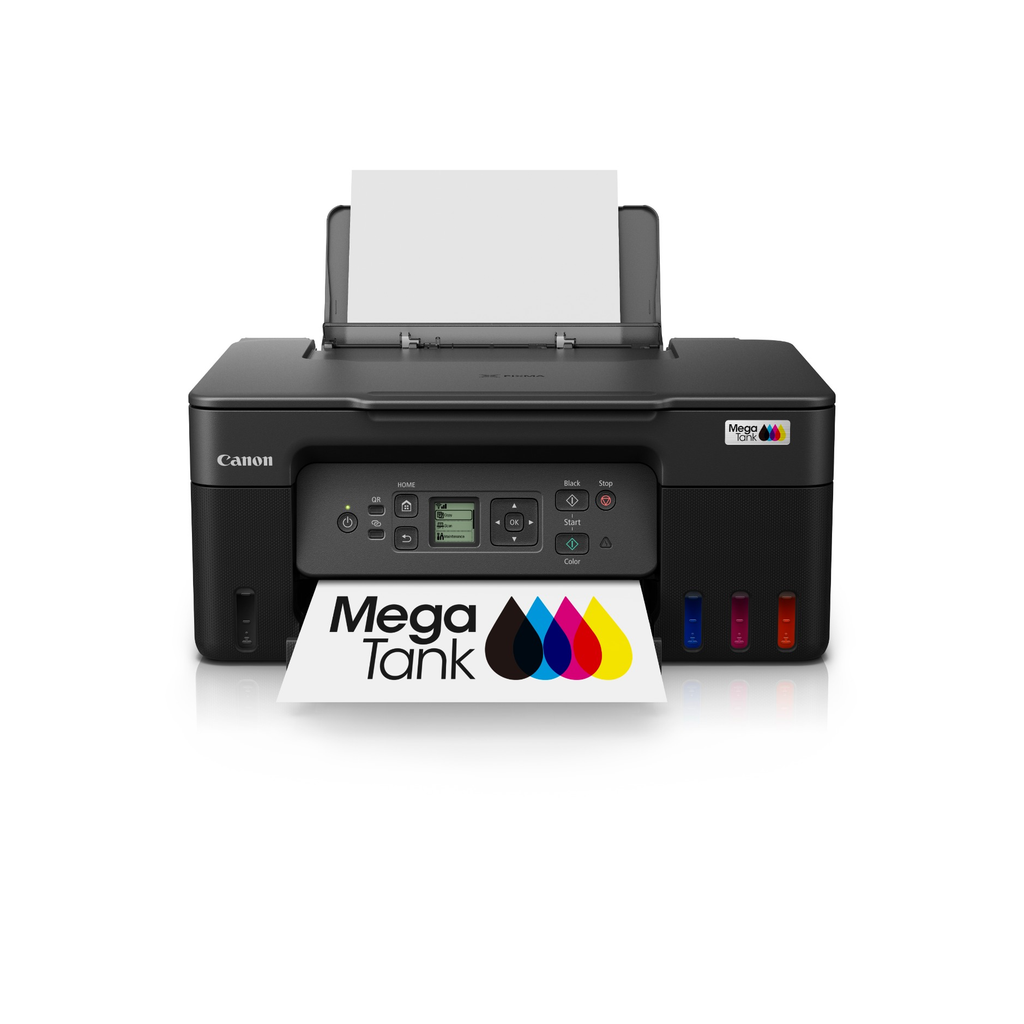
High school isn’t only about printing text documents.
Students frequently prepare science charts, geography assignments, presentation material and colourful project sheets.
This is where a colour-orientated printer such as the Canon PIXMA MegaTank G3770 becomes interesting.
Key specifications
| Specification | Details |
|---|---|
| Printer type | Colour ink tank |
| Functions | Print, scan, copy |
| Black print speed | Up to 11 ipm |
| Colour print speed | Up to 6 ipm |
| Maximum resolution | 4800 × 1200 dpi |
| Connectivity | Wi-Fi, USB |
| Scanner | Flatbed |
| Paper input | 100 sheets |
| Automatic duplex | No |
Why is it useful for school projects?
The G3770 supports colour printing and borderless printing up to A4 size.
This makes it useful for students who regularly prepare visual school assignments.
It can also scan and copy documents, making it more versatile than a basic print-only machine.
Canon quotes a maximum of 99 copies per job.
Its wireless connectivity is another advantage for households that prefer printing from laptops and compatible mobile devices.
Advantages
- Colour printing for school projects.
- Wireless connectivity.
- Print, scan and copy.
- Borderless printing up to A4.
- Useful for general household printing.
Disadvantages
- No automatic double-sided printing.
- No automatic document feeder.
- Larger photo and colour jobs can consume more ink.
- Its price may be higher than basic student printers.
Our verdict: The Canon G3770 is worth considering if your child regularly prepares colour-heavy school assignments and you also want an all-in-one home printer.
4. Brother DCP-T426W – Best for Frequent Document Printing
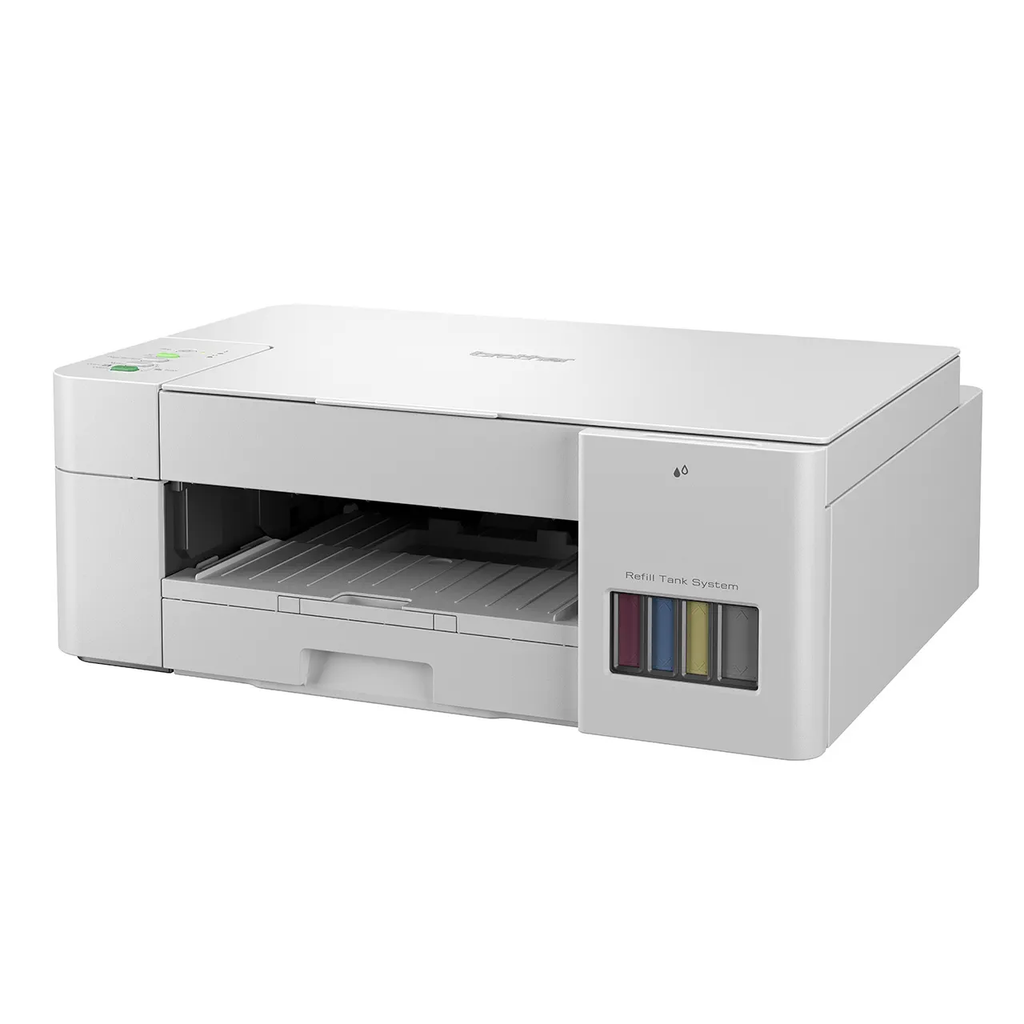
The Brother DCP-T426W is designed for home users who print regularly and want a relatively large paper tray.
It offers print, scan and copy functionality, wireless connectivity and high-yield ink bottles.
One of its biggest advantages is its 150-sheet standard paper tray.
Key specifications
| Specification | Details |
|---|---|
| Printer type | Colour ink tank |
| Functions | Print, scan, copy |
| Black print speed | Up to 16 ipm |
| Colour print speed | Up to 9 ipm |
| Maximum resolution | 1200 × 6000 dpi |
| Connectivity | Wi-Fi, USB |
| Scanner | Flatbed |
| Paper input | 150 |
Why should students consider it?
The Brother DCP-T426W is particularly interesting for students who print large volumes of notes and assignments.
Brother quotes approximate ink yields of:
- Up to 7,500 black pages.
- Up to 5,000 colour pages.
The manufacturer’s stated yields are based on its own testing methodology and should not be treated as guaranteed real-world output.
It also supports Brother iPrint&Scan and Mopria, allowing printing from compatible mobile devices.
The 150-sheet paper tray means fewer interruptions when printing longer study documents.
Advantages
- High rated black ink yield.
- 150-sheet paper tray.
- Wireless and USB connectivity.
- Print, scan and copy.
- Fast rated document printing.
Disadvantages
- No automatic duplex printing.
- No automatic document feeder.
- Relatively large footprint.
- Check local service availability before purchasing.
Our verdict: The Brother DCP-T426W is an attractive option for households where printing notes and worksheets is a frequent activity.
Which printer should you buy for your child?
The right choice depends on the student’s daily requirements.
| Student requirement | Recommended printer |
|---|---|
| General school assignments | Epson EcoTank L3250 |
| Shared family printer | HP Smart Tank 589 |
| Colour-heavy projects | Canon PIXMA G3770 |
| Frequent printing of notes | Brother DCP-T426W |
For most households, we would start with the Epson EcoTank L3250 because its low stated running cost and wireless functionality make it a balanced option.
However, the Brother model is worth comparing if your child prints large volumes of study material.
Ink tank vs laser printer: Which is better for students?
This is one of the most important decisions when buying a printer.
Ink-tank printers
Ink-tank printers use refillable ink bottles rather than conventional disposable cartridges.
Their main advantages include:
- Low cost per printed page.
- Colour printing.
- Better flexibility for school projects.
- Scanning and copying in multifunction models.
- High rated ink yields.
For most households that need both colour assignments and black-and-white notes, an ink-tank printer makes sense.
One consideration is that inkjet printers should not be left unused for very long periods. Follow the manufacturer’s maintenance recommendations to help avoid printhead problems.
Laser printers
A monochrome laser printer uses toner instead of liquid ink.
Its main advantages include:
- Sharp black text.
- Fast document printing on suitable models.
- No liquid ink drying in the printhead.
- Practical operation for predominantly black-and-white documents.
However, a monochrome laser printer cannot print colour school projects.
If your child mainly prints lengthy revision notes, question papers and text-based assignments, a monochrome laser printer is worth considering.
If colour projects are also important, an ink-tank printer is generally the more versatile choice.
Five things parents should check before buying a printer
1. Cost per page matters more than the purchase price
A printer that costs less initially may become expensive if its replacement cartridges are costly.
Check the manufacturer’s ink yield and replacement bottle prices before purchasing.
Do not compare cartridge printers and ink-tank printers only by their upfront price.
2. Wi-Fi printing is genuinely useful
Students often receive assignments through WhatsApp, email or online classroom platforms.
Wireless printing allows compatible phones, tablets and laptops to send documents directly to the printer.
This is especially useful when the printer is shared by multiple family members.
3. Look for scanning and copying
An all-in-one printer is more useful than a print-only device for most student households.
The scanner can help digitise handwritten notes, forms and documents.
The copier is useful when students need physical duplicates of worksheets or study material.
4. Automatic duplex printing can save paper
Duplex printing means printing on both sides of a sheet.
It can be particularly useful when printing long chapters and revision material.
However, none of the four main models in this comparison offers automatic duplex printing. Their double-sided workflows require manual paper handling.
If automatic duplex is a priority, look at higher models such as the HP Smart Tank 675 or suitable Brother duplex models.
5. Check the warranty and service network
Printers are long-term household purchases.
Before buying, check the manufacturer’s warranty, availability of genuine ink bottles and local service support.
Also remember that the cheapest online listing isn’t necessarily the best purchase if the seller cannot provide reliable warranty support.
Frequently asked questions
Which printer is best for Class 10 and Class 12 students?
An all-in-one ink-tank printer such as the Epson EcoTank L3250 is a sensible choice for most students. It supports black-and-white documents, colour assignments, scanning and copying.
Is an ink-tank printer better than a cartridge printer?
If you print regularly, an ink-tank printer generally offers a much lower running cost. Cartridge printers may still make sense for very occasional printing, but their replacement ink costs can add up.
Can students print directly from their mobile phones?
Yes. The Epson, HP, Canon and Brother models discussed here support wireless or mobile printing through compatible applications and devices.
Can these printers print school projects in colour?
Yes. All four are colour ink-tank printers and support colour document printing.
Is a laser printer better for printing study notes?
A monochrome laser printer can be a better choice for households that print large volumes of black-and-white documents and do not need colour.
Do students need an automatic duplex printer?
It is not essential, but it is convenient. Automatic duplex printing saves the effort of manually turning paper when printing long documents.
How many pages can an ink-tank printer print?
It depends on the printer, ink bottle capacity and document coverage. Manufacturer-rated yields are measured using standard test patterns and may differ substantially from real-world results.
Final verdict: Which printer should parents buy?
For most high school students in India, an ink-tank multifunction printer is the most sensible purchase.
It provides affordable printing, colour support, scanning and copying in one device.
Our recommendations are:
- Best overall: Epson EcoTank L3250.
- Best for shared family use: HP Smart Tank 589.
- Best for colour projects: Canon PIXMA G3770.
- Best for frequent notes and documents: Brother DCP-T426W.
If we had to choose one for a typical student household, the Epson EcoTank L3250 would be our first recommendation.
It provides a balanced combination of low running costs, wireless printing and multifunction capabilities.
Before purchasing, compare the latest Indian prices, genuine ink bottle costs and warranty conditions. A slightly more expensive printer can sometimes be the better long-term investment.