
A sudden power cut in the middle of a gaming session is frustrating. Worse, it can interrupt downloads, corrupt unsaved work, or force your PC to shut down unexpectedly.
If you’ve invested in a gaming PC, graphics card, monitor, and other peripherals, a UPS for your gaming PC is worth considering. But buying the cheapest UPS you can find isn’t necessarily a good idea. A model that works well with a basic office desktop may not have enough power capacity for a gaming PC.
For this guide, we’ve compared four options: the APC Back-UPS BX1100C-IN, CyberPower UT1200E, Artis 1000VA LCD, and APC BX600C-IN. The last is included as a useful budget benchmark, not as our recommendation for a typical gaming PC.
Our quick verdict: The APC BX1100C-IN is worth considering for a suitable mid-range gaming setup. The CyberPower UT1200E offers a higher advertised power capacity on paper, while the Artis 1000VA LCD provides an LCD-equipped alternative. For powerful gaming PCs, however, the most important decision is whether the UPS’s actual wattage capacity and output waveform are compatible with your power supply.
Affiliate disclosure: Cosmic Gadgets may earn a commission from qualifying purchases made through links in this article, at no additional cost to you. Recommendations are based on published specifications and available listings, not hands-on testing of every UPS.
Best UPS for Gaming PC in India: Quick Comparison
| UPS model | Advertised capacity | Output power | Best suited for | Indicative price |
|---|---|---|---|---|
| APC Back-UPS BX1100C-IN | 1100VA | 660W | Suitable mid-range gaming PCs, subject to load and PSU compatibility | ₹7,500–₹9,000 |
| CyberPower UT1200E | 1200VA | 720W | Compatible desktop gaming systems with moderate power requirements | ₹5,000–₹6,500 |
| Artis 1000VA LCD | 1000VA | 600W | Compatible desktop setups needing an LCD status display | ₹4,500–₹5,500 |
| APC Back-UPS BX600C-IN | 600VA | 360W | Basic desktops and low-power equipment | ₹3,600–₹4,300 |
Prices are indicative research ranges, not guaranteed live offers. They can vary by seller, availability, shipping, and promotions. The CyberPower and APC capacities are documented by their manufacturers; Artis publishes its 1000VA LCD model’s specifications on its official website. Verify the current price and exact model before purchasing. Schneider Electric
1. APC Back-UPS BX1100C-IN—A Mid-Range Gaming PC Option
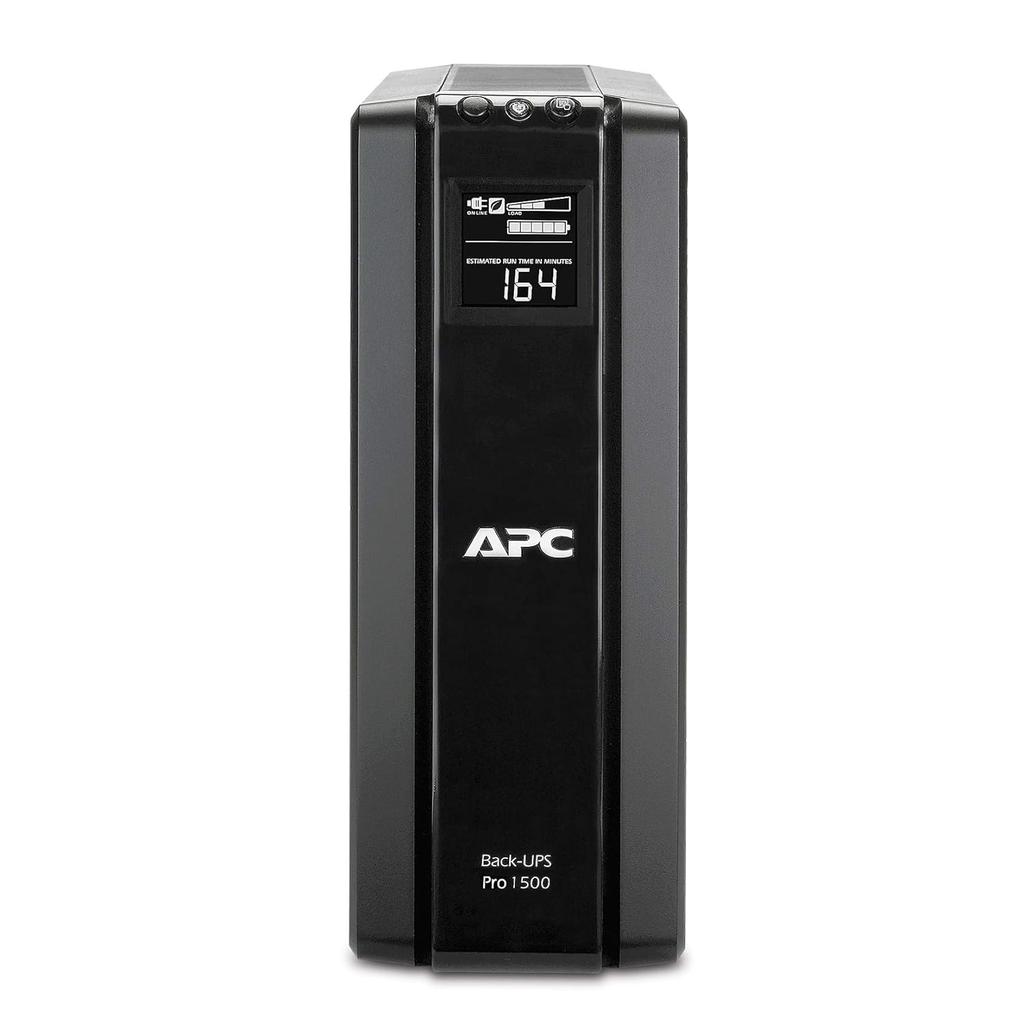
Best for: Compatible mid-range gaming PCs that need time to save work and shut down safely during a power cut.
The APC Back-UPS BX1100C-IN is a line-interactive UPS with a rated capacity of 1100VA and a maximum output of 660W.
It includes Automatic Voltage Regulation (AVR), which helps correct certain voltage variations without relying on the battery for every adjustment. The unit also has status indicators, audible alarms, and overload protection. Schneider Electric
Key specifications
| Feature | Specification |
|---|---|
| Model | BX1100C-IN |
| Capacity | 1100VA |
| Maximum output power | 660W |
| UPS type | Line-interactive |
| Voltage regulation | AVR |
| Output waveform | Stepped approximation to a sine wave |
| Outlets | Check the exact product variant and listing |
| Indicative price | ₹7,500–₹9,000 |
Source: APC Back-UPS BX1100C-IN official specifications.
Why consider it?
The 660W output rating provides more capacity than a basic 600VA UPS.
That can make it a candidate for a gaming PC whose measured load stays comfortably within the UPS’s limits. AVR is also useful where mains voltage fluctuates.
However, a 660W rating does not mean the UPS is suitable for every computer with a 650W or 750W power supply. The rating on your PC’s PSU describes its power-delivery capability, not necessarily the amount your computer continuously consumes.
What should you check first?
The BX1100C-IN uses a stepped-approximation sine-wave output. Some active-PFC power supplies may not operate reliably with every simulated or stepped waveform UPS.
Before buying, confirm compatibility with your specific PSU and GPU configuration. Schneider Electric itself lists equipment incompatibility with the output waveform as one possible cause of connected equipment losing power when a BX1100C-IN is running on battery. Schneider Electric
Also, don’t expect long gaming sessions on battery. The practical goal of a conventional desktop UPS is often to bridge a short outage, save your work, and shut down safely.
Our verdict: A reasonable candidate for a compatible mid-range PC, provided the actual load and PSU compatibility check out.
Call to action: Check the current APC BX1100C-IN price. Insert your Amazon India or authorised retailer affiliate link here.
2. CyberPower UT1200E — Best on Paper for Higher Output Capacity
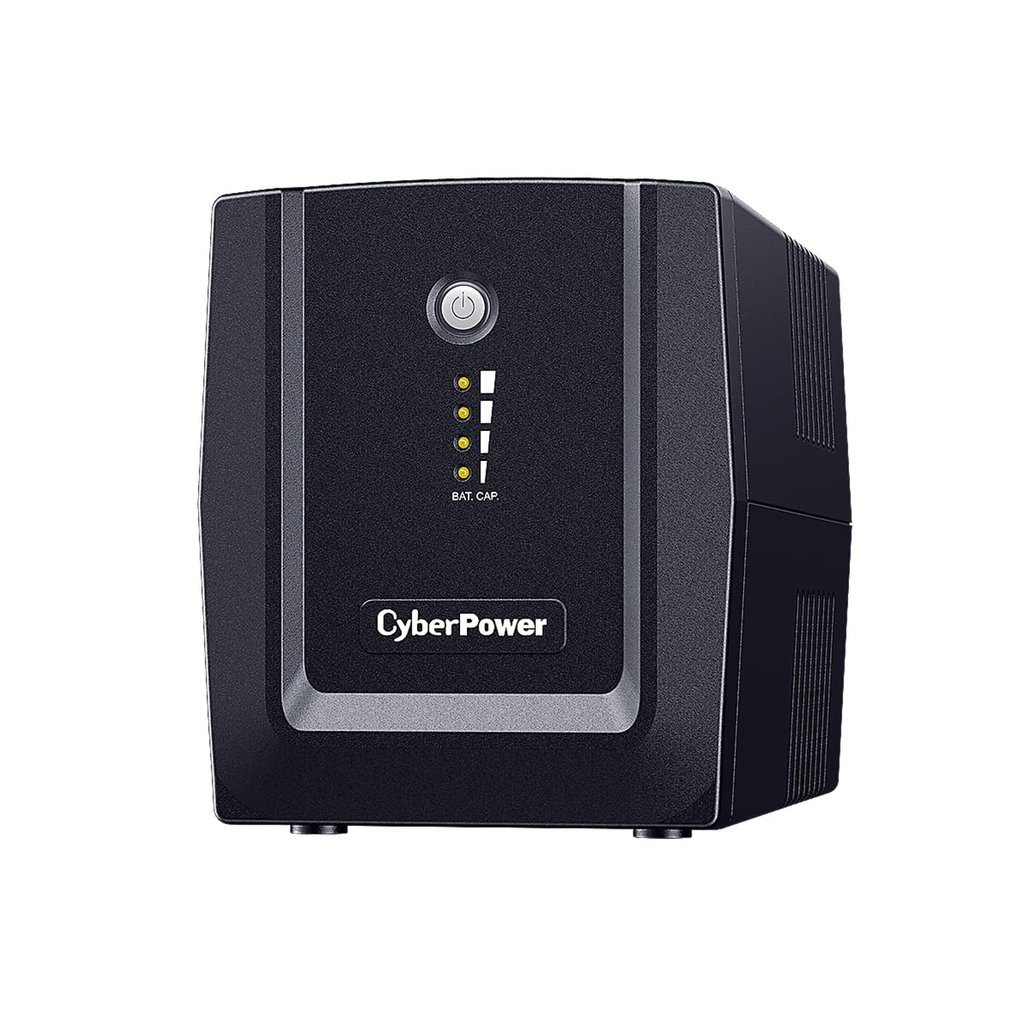
Best for: Desktop users who need a higher advertised wattage capacity and have confirmed compatibility with the UPS’s output waveform.
The CyberPower UT1200E is a 1200VA UPS with a rated output of 720W. Its manufacturer lists AVR, generator compatibility, LED status indicators, overload protection, and four battery-backed outlets. CyberPower
Key specifications
| Feature | Specification |
|---|---|
| Model | UT1200E |
| Capacity | 1200VA |
| Maximum output power | 720W |
| Output waveform | Simulated sine wave |
| Voltage regulation | AVR |
| Outlets | Four battery-backed outlets |
| Runtime at 90W | Approximately 40 minutes, manufacturer-rated |
| Runtime at 200W | Approximately 14 minutes, manufacturer-rated |
| Indicative price | ₹5,000–₹6,500 |
Source: CyberPower UT1200E official product page.
Why consider it?
Its 720W rating gives it a higher advertised output capacity than the APC BX1100C-IN’s 660W rating.
The manufacturer also publishes runtime figures at specific loads, which is useful when estimating how long lower-power equipment might stay operational.
However, those runtime figures must not be interpreted as the expected backup time for a gaming PC. A gaming system can draw substantially more power than a router or lightly loaded office computer, and runtime falls as the load increases.
Is it suitable for an RTX gaming PC?
That depends on the complete system.
An RTX graphics card alone doesn’t tell you how much power your PC draws. The CPU, GPU, PSU efficiency, storage, fans, peripherals, and workload all matter.
The UT1200E’s simulated sine-wave output is also an important limitation. Check with the PSU manufacturer or UPS supplier that your particular system will operate reliably when the UPS switches to battery.
Our verdict: Worth comparing if you need higher nominal output capacity, but don’t buy it based on the 720W figure alone.
Call to action: Check the current CyberPower UT1200E price. Insert your affiliate link here.
3. Artis 1000VA LCD—Best for Monitoring UPS Status
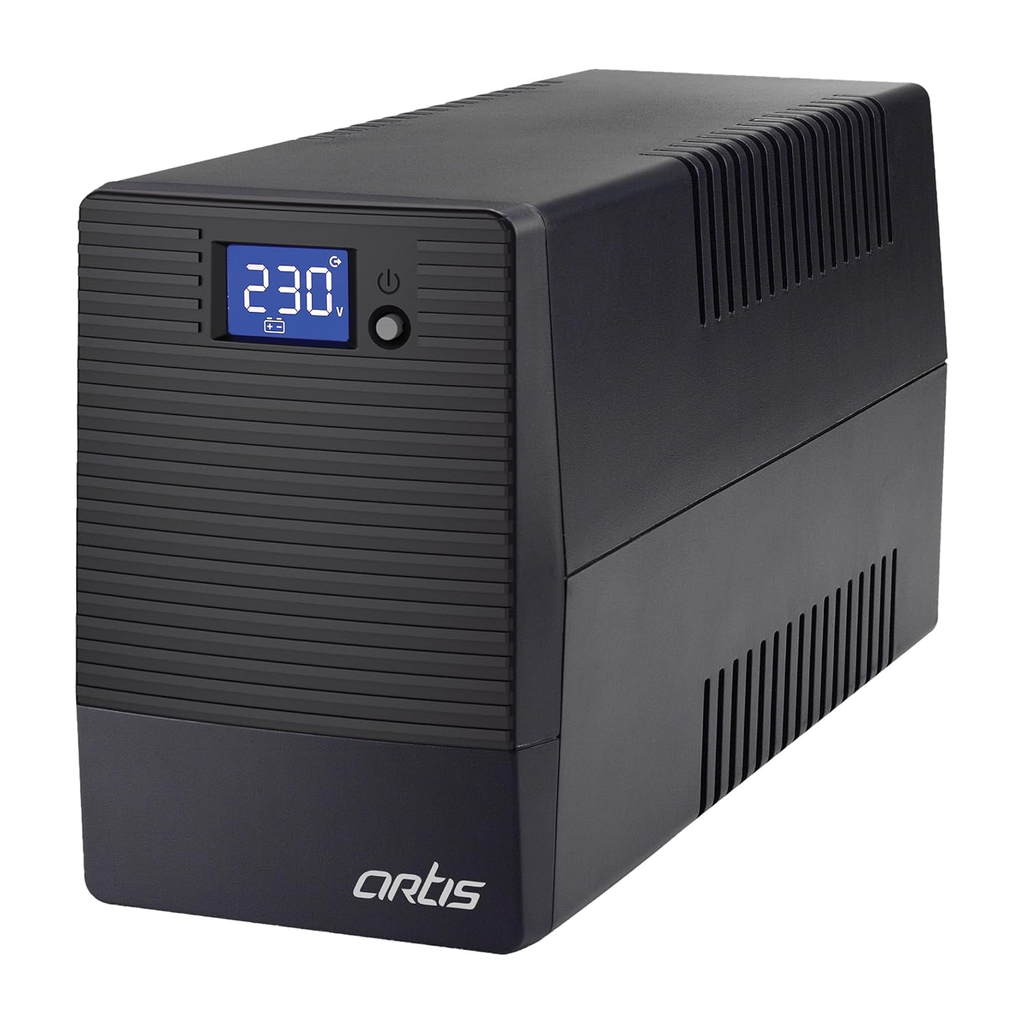
Best for: Buyers who want an LCD status display and a desktop UPS with AVR.
The Artis 1000VA LCD is rated for 1000VA and 600W. Its manufacturer describes it as a line-interactive UPS with an LCD showing load level, battery status, AVR status, and overload alerts.
The specifications also list two 7Ah batteries, a simulated sine-wave output, cold-start functionality, and generator compatibility. Artis advertises a two-year warranty for this product. Artis
Key specifications
| Feature | Specification |
|---|---|
| Model | Artis 1000VA LCD |
| Capacity | 1000VA |
| Maximum output power | 600W |
| Output waveform | Simulated sine wave |
| Voltage regulation | AVR |
| Display | Load, battery, AVR, and overload status |
| Battery configuration | Dual 7Ah batteries, manufacturer-listed |
| Indicative price | ₹4,500–₹5,500 |
Source: Artis 1000VA LCD official product page.
Why consider it?
The LCD makes it easier to see the UPS’s operating status without relying entirely on indicator lights.
That can be useful when you’re checking whether the UPS is running on mains power, using its battery, or reporting an overload.
Its advertised 600W output is also higher than that of a typical 600VA/360W entry-level UPS.
What are the limitations?
The 600W output rating is still a hard limit, and the simulated sine-wave output means PSU compatibility needs checking.
Availability is another consideration: Artis’s official product collection showed its line-interactive UPS models as sold out during research. Check current stock and warranty support before deciding to buy this model. Artis
Our verdict: A useful alternative to investigate if you value an LCD display, but confirm availability and compatibility before buying.
Call to action: Check availability and the current Artis 1000VA LCD price. Insert a verified retailer affiliate link here.
4. APC Back-UPS BX600C-IN — Why It May Be Too Small for Gaming
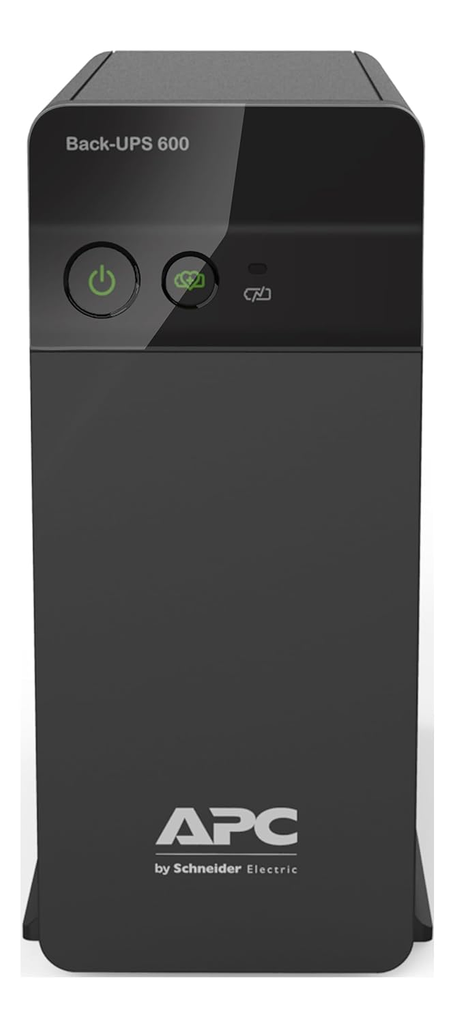
Best for: Basic desktop computers and low-power equipment—not a typical gaming PC.
The APC BX600C-IN is a 600VA UPS rated for 360W output. It offers AVR and a compact line-interactive design, but its lower power capacity makes it unsuitable for many gaming configurations. MD Computers
Key specifications
| Feature | Specification |
|---|---|
| Model | BX600C-IN |
| Capacity | 600VA |
| Maximum output power | 360W |
| UPS type | Line-interactive |
| Voltage regulation | AVR |
| Output waveform | Stepped approximation to a sine wave |
| Indicative price | ₹3,600–₹4,300 |
Source: APC BX600C-IN specifications from an Indian computer retailer.
Why include it in this comparison?
Because it’s an easy mistake to make.
A 600VA UPS can be an appropriate purchase for some office desktops, routers, and low-power systems. But a gaming PC under load can exceed its 360W output limit, particularly when paired with a gaming monitor and other equipment.
Buying a UPS that’s too small can lead to overload alarms, unexpected shutdowns, or the UPS cutting power when the mains supply fails.
Our verdict: Don’t choose the BX600C-IN for a gaming PC unless you have carefully measured the complete load and confirmed that it remains within the unit’s capacity. For most gaming builds, compare higher-capacity options instead.
How to Choose the Right UPS for Your Gaming PC
The most important part of choosing a UPS isn’t the brand. It’s matching the unit to your computer.
1. Check watts, not just VA
UPS products advertise capacity in VA (volt-amperes), but they also have a maximum output rating in watts.
For example:
| UPS rating | Maximum output |
|---|---|
| 600VA / 360W | 360W |
| 1000VA / 600W | 600W |
| 1100VA / 660W | 660W |
| 1200VA / 720W | 720W |
A 1200VA UPS isn’t automatically better than every 1100VA model, and VA alone doesn’t tell you whether the unit can power your computer.
Start with the wattage rating. Then check the output waveform, battery performance, connections, and compatibility.
2. Estimate your actual gaming PC power consumption
Don’t calculate your UPS requirement using the PSU’s advertised wattage alone.
A PC with a 750W PSU doesn’t necessarily draw 750W continuously. Conversely, a powerful gaming system can experience brief power spikes that make an undersized UPS unsuitable even if its average consumption appears acceptable.
For a more useful estimate:
- Check the manufacturer’s power recommendations for your CPU and GPU.
- Consider the rest of the system, including fans, storage, and peripherals.
- If possible, measure your system’s wall power consumption under gaming load using an appropriate power meter.
- Add a sensible capacity margin rather than sizing the UPS right at its maximum rating.
- Confirm that the UPS can handle the system’s transient power demands.
If your system’s measured draw approaches the UPS’s rated output, choose a larger compatible model.
3. Check whether your PSU is compatible with the UPS waveform
This is particularly important for modern gaming PCs.
Many desktop PSUs use active power-factor correction (active PFC). Some active-PFC power supplies may behave unpredictably with certain simulated or stepped sine-wave UPS units when running on battery.
The three gaming-oriented options in this guide—the APC BX1100C-IN, CyberPower UT1200E, and Artis 1000VA LCD—list stepped or simulated sine-wave output.
Before buying, check the PSU manufacturer’s guidance and ask the UPS manufacturer or a qualified retailer to confirm compatibility with your specific system.
A pure sine-wave UPS may be a better choice for some configurations, but you should still verify the model’s power rating, waveform specifications, and compatibility rather than relying on the waveform label alone.
4. Decide what you actually need to keep running
A UPS can power more than your PC, but every connected device adds to the load.
For gaming, you might want to keep these devices running temporarily:
- Gaming PC
- Monitor
- Router or modem
However, you don’t necessarily need to connect every accessory to battery backup.
Prioritise the PC and whatever equipment is essential for a controlled shutdown. Don’t connect a laser printer, heater, or other high-load appliance to a desktop UPS unless the manufacturer explicitly supports that use.
5. Understand how much backup time you need
For a gaming PC, the goal is often to get through a short outage or shut down safely—not continue playing for an hour.
Backup time depends on:
- Actual PC power consumption
- Monitor and peripheral load
- Battery capacity and condition
- UPS efficiency
- Battery age and temperature
A manufacturer runtime figure at 90W doesn’t tell you how long a 500W gaming system will run.
If you need to continue working or gaming through longer power cuts, a suitably sized inverter or another backup-power solution may be more appropriate than a small desktop UPS.
6. Consider AVR and surge protection
Automatic Voltage Regulation can correct certain low- and high-voltage conditions without using the battery for every fluctuation.
That can be useful where mains voltage varies.
However, a UPS is not a guarantee against every electrical fault or lightning-related surge. Follow the manufacturer’s installation instructions, use a properly earthed outlet, and consult a qualified electrician if your electrical supply is unreliable.
UPS vs Inverter for a Gaming PC: Which Is Better?
A desktop UPS and a home inverter serve different purposes, although some products overlap.
| Feature | Desktop UPS | Home inverter |
|---|---|---|
| Main purpose | Short backup and power continuity for electronics | Longer backup for selected household loads |
| Changeover | Designed for short interruptions; exact transfer time varies | Transfer time depends on the inverter and installation |
| Battery capacity | Typically smaller internal battery | Often uses a larger external or dedicated battery |
| Installation | Usually plug-and-play | May require a battery and professional installation |
| Gaming PC use | Convenient if wattage and waveform are compatible | Can work if transfer time, output waveform, capacity, and PSU compatibility are suitable |
| Best use case | Bridge short outages and shut down safely | Longer backup where the system is appropriately designed |
If your area experiences frequent, lengthy power cuts, an inverter with a suitable battery may offer more practical runtime.
But don’t assume every home inverter will work perfectly with a gaming PC. Output waveform, transfer time, load capacity, earthing, and compatibility with the PSU all matter.
Frequently Asked Questions
Which is the best UPS for a gaming PC in India?
The APC BX1100C-IN is worth considering for a compatible mid-range gaming PC, while the CyberPower UT1200E offers a higher advertised output rating. The correct choice depends on your measured power consumption, PSU compatibility, and required backup time.
Is a 600VA UPS enough for a gaming PC?
A 600VA UPS rated for 360W is too small for many gaming systems. It may work with some low-power configurations, but check your actual load and leave sufficient capacity margin.
Is a 1000VA UPS enough for an RTX gaming PC?
Not necessarily. A 1000VA UPS can have a 600W output limit, and some gaming PCs can approach or exceed that level under load. Check the complete system’s power consumption, transient requirements, and PSU compatibility.
How long will a UPS run a gaming PC?
There is no universal runtime. It depends on the UPS battery, actual load, battery condition, and efficiency. Use manufacturer runtime charts for the specific model and load, and treat runtime as an estimate rather than a guarantee.
Is a pure sine-wave UPS better for a gaming PC?
It may be more suitable for some gaming-PC power supplies, particularly where the PSU manufacturer requires or recommends a sine-wave output. However, compatibility must be checked for the exact PSU and UPS model.
Can I connect my monitor to the UPS?
Yes, provided the UPS supports the monitor’s power consumption and the combined load remains within the UPS’s rating. Include the monitor when estimating the total wattage.
Does a UPS protect a PC from voltage fluctuations?
A UPS with AVR can correct certain voltage variations, and surge protection may help with some electrical disturbances. It does not protect against every possible fault or guarantee protection against a severe lightning surge.
Should I buy a UPS or an inverter for long power cuts?
A desktop UPS is convenient for bridging short outages and shutting down safely. If you need hours of backup, a properly sized inverter and battery may be more suitable, provided they meet the PC’s power and waveform requirements.
Final Verdict: Which UPS Should You Buy?
A UPS is useful only when it can actually handle your PC’s load.
Here’s our recommendation:
- For a compatible mid-range gaming PC: Consider the APC BX1100C-IN.
- For a higher advertised wattage capacity: Compare the CyberPower UT1200E.
- For an LCD-equipped desktop UPS: Check the Artis 1000VA LCD, subject to current availability.
- For a basic office desktop: The APC BX600C-IN may be sufficient, but it is not our recommendation for a typical gaming PC.
Before ordering, verify the UPS’s maximum wattage, output waveform, compatibility with your PSU, warranty, and current price.
Our most important advice: Don’t buy a UPS just because its VA number looks large. Match its wattage and waveform to your actual gaming PC, leave sufficient headroom, and buy enough backup capacity to shut down safely when the power goes out.